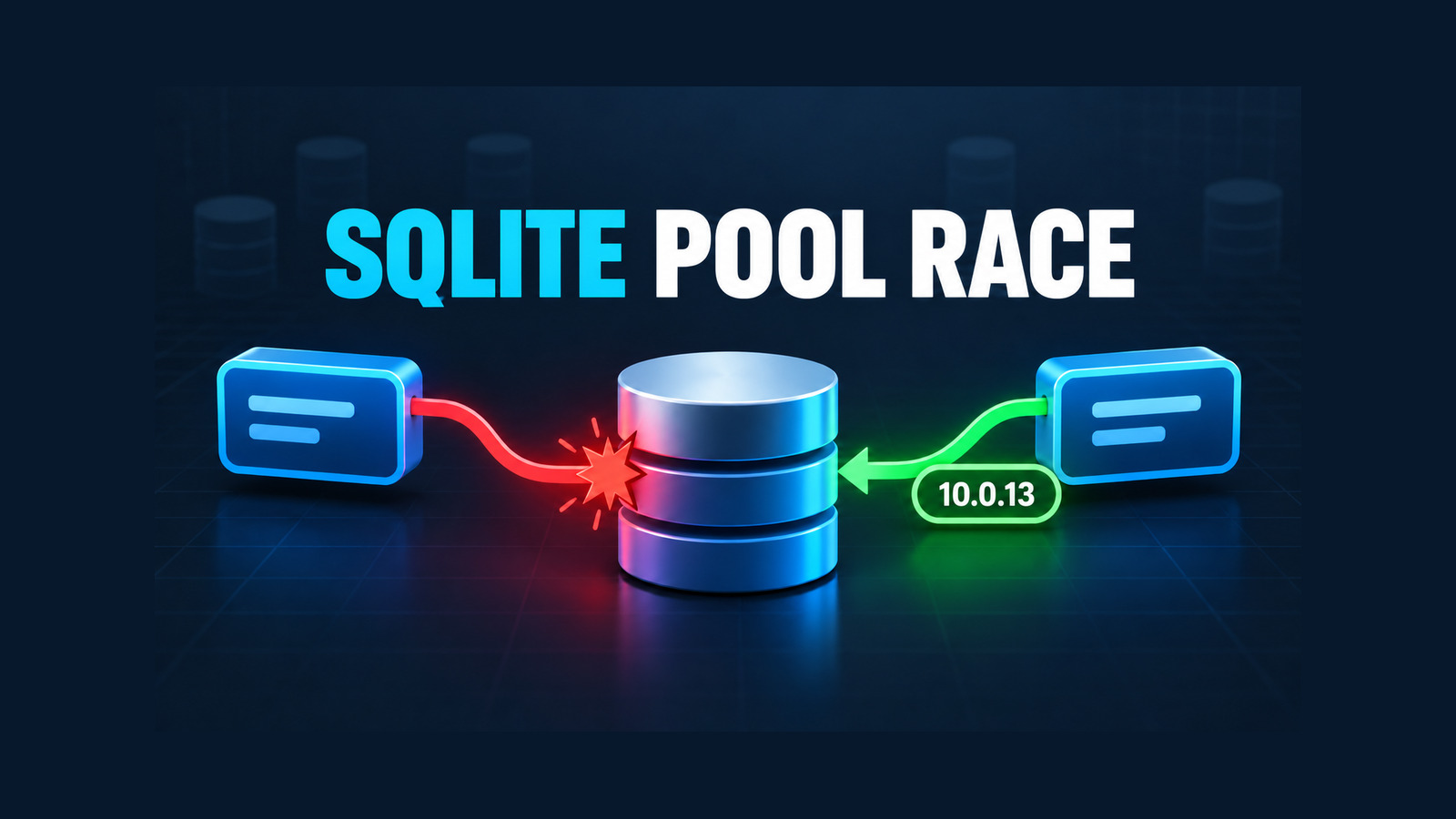
The Microsoft.Data.Sqlite 10.0.13 update fixes a rare connection-pool race in 10.0.11 and 10.0.12 when many callers open the same pooled connection string concurrently. Two live SqliteConnection objects can receive the same native sqlite3* handle, so connection-local state unexpectedly crosses owner boundaries.
Version 10.0.13 changes the activation order that caused the race. This guide shows how to recognize the failure, run a focused affected/control/fixed stress probe, use a narrow temporary mitigation, and verify the upgrade before removing that mitigation.
Table of Contents
Recognize the pool-ownership failure
The race is not ordinary SQLite write contention. It happens while pooled connections are being activated for different owners. The same native handle can briefly belong to two open managed connections, so failures may appear in unrelated operations that assume connection-local state.
SQLite Error 1: cannot start a transaction within a transactionSQLite Error 5: unable to delete/modify user-function due to active statementsdatabase is lockedorno such functionduring concurrent opens- A low-level callback failure after one owner changes a function registered by another owner
These messages are clues, not unique signatures. Normal transaction misuse, long-running writes, and application-level connection sharing can produce similar symptoms. Before blaming the provider, confirm that every caller creates its own SqliteConnection, holds it strongly while open, and never shares that managed object across threads.
Understand the activation race
The canonical upstream reproduction isolates a narrow ordering problem. In affected packages, pool checkout returns an internal connection, and activation marks it active before attaching the new outer owner. A competing checkout can observe that transient state as “active but ownerless,” reclaim the connection as leaked, and lend it again.
// Affected conceptual order
_active = true;
_outerConnection.SetTarget(outerConnection);

// Corrected conceptual order
_outerConnection.SetTarget(outerConnection);
_active = true;
The correction is small, but the consequence is not. Pooling makes the race possible; high concurrency makes the timing window easier to hit; connection-local transactions and functions make duplicate ownership visible.
Run the concurrent-open probe
Use a disposable database and the exact package version deployed by your application. The probe below clears only its test pool between waves, opens many distinct managed connections at the same time, registers a connection-local function, and checks whether two live owners expose the same native handle.
using System.Collections.Concurrent;
using Microsoft.Data.Sqlite;

var rounds = 500;
var workers = 64;
var file = Path.Combine(Path.GetTempPath(), $"poolrace-{Guid.NewGuid():N}.db");
var cs = new SqliteConnectionStringBuilder
{
    DataSource = file,
    Pooling = true
}.ToString();

for (var round = 0; round < rounds; round++)
{
    SqliteConnection.ClearAllPools();
    var liveHandles = new ConcurrentDictionary<nint, int>();
    using var ready = new Barrier(workers);

    var tasks = Enumerable.Range(0, workers)
        .Select(_ => Task.Factory.StartNew(() =>
        {
            ready.SignalAndWait();

            using var connection = new SqliteConnection(cs);
            connection.Open();
            connection.CreateFunction("probe", (long value) => value);

            var handle = connection.Handle!.DangerousGetHandle();
            var ownerCount = liveHandles.AddOrUpdate(
                handle, 1, (_, count) => count + 1);

            if (ownerCount > 1)
            {
                throw new InvalidOperationException(
                    $"Native handle {handle} has multiple live owners.");
            }

            try
            {
                using var command = connection.CreateCommand();
                command.CommandText = "SELECT probe(1)";
                _ = command.ExecuteScalar();
            }
            finally
            {
                liveHandles.AddOrUpdate(
                    handle, 0, (_, count) => count - 1);
            }
        }, TaskCreationOptions.LongRunning))
        .ToArray();

    Task.WaitAll(tasks);
}

SqliteConnection.ClearAllPools();
File.Delete(file);
Run the same source in three modes: affected package with parallel opens, affected package with only Open() serialized, and fixed package with parallel opens. Keep the work after opening concurrent in the control. That separation tells you whether opening is the critical boundary instead of accidentally converting the whole workload into a single-threaded test.
Read the verified result matrix
| Package | Mode | Load | Observed result |
|---|---|---|---|
| 10.0.12 | Parallel Open() | 500 × 64 | Process terminated in a SQLitePCL scalar callback with NullReferenceException |
| 10.0.12 | Serialized Open() | 500 × 64 | 0 shared live handles; 0 SQLite errors |
| 10.0.13 | Parallel Open() | 500 × 64 | 0 shared live handles; 0 SQLite errors |
The tests ran on Linux x64 with .NET SDK 10.0.401 and .NET runtime 10.0.12. The 10.0.12 assembly SHA-256 was b98d957462be432895b00dccca012d3c127e118d3d4262418014b92c7bbd66cf; the 10.0.13 assembly SHA-256 was 9f1fe804321767b6cc8db751ecedd56ab308e5f15492a7f40d7093bb61ab7638.
The failure shape differed from the transaction errors in the canonical issue, but it stayed inside the same connection-local function stress path. The serialized control and fixed-package run both passed the identical concurrency shape, which supports the activation-race diagnosis without claiming that every application will see the same exception.
Use a temporary serialization boundary
Upgrading is the primary fix. If an immediate package update is impossible, serialize only connection activation for the affected connection string. Do not place queries, transactions, or business work inside the gate.
public sealed class SqliteOpenGate
{
    private readonly SemaphoreSlim _gate = new(1, 1);

    public async Task<SqliteConnection> OpenAsync(
        string connectionString,
        CancellationToken cancellationToken = default)
    {
        var connection = new SqliteConnection(connectionString);
        await _gate.WaitAsync(cancellationToken);

        try
        {
            await connection.OpenAsync(cancellationToken);
            return connection;
        }
        catch
        {
            await connection.DisposeAsync();
            throw;
        }
        finally
        {
            _gate.Release();
        }
    }
}
This helper is appropriate only when your code owns connection creation. If EF Core opens connections internally, use an application-specific factory or interceptor design that holds the same gate across the complete opening callback and releases it after opening. Test synchronous and asynchronous paths separately. A global semaphore may reduce throughput across unrelated databases; use one gate per normalized connection string when multiple database files are expected.
Upgrade and verify Microsoft.Data.Sqlite 10.0.13
<ItemGroup>
  <PackageReference Include="Microsoft.Data.Sqlite"
                    Version="10.0.13" />
</ItemGroup>- Resolve the final dependency graph with
dotnet list package --include-transitive. Confirm that bothMicrosoft.Data.SqliteandMicrosoft.Data.Sqlite.Coreresolve to the intended patch line. - Run the stress probe against the restored output, not just the project file. Record the assembly informational version and SHA-256.
- Exercise application-specific transactions, registered SQLite functions, interceptors, and cancellation paths.
- Deploy to a canary instance while retaining the temporary gate.
- Remove the gate only after the same canary load and error telemetry remain clean.
If you deploy on older enterprise Linux distributions, the managed pool fix does not replace native runtime compatibility checks. Audit the native bundle separately; see the related Microsoft.Data.Sqlite RHEL 8 glibc guide before changing a production image.
Add production safeguards
- Do not share managed connections. One
SqliteConnectionshould have one active owner and a clear disposal boundary. - Keep the stress test isolated. Use a disposable file and never clear pools belonging to unrelated production traffic.
- Assert the restored version. CI should fail when lock-file or central-package changes silently move the provider back to an affected patch.
- Track symptom families. Alert on nested-transaction, function-registration, missing-function, database-locked, and low-level callback failures around connection opening.
- Preserve rollback evidence. Store package versions, assembly hashes, runtime version, OS, worker count, round count, and the exact exit code.
- Avoid overreading a pass. A stress test reduces uncertainty but cannot prove that a rare interleaving is impossible on every scheduler and workload.
The upgrade decision is therefore straightforward: if your application can open pooled Microsoft.Data.Sqlite connections concurrently on 10.0.11 or 10.0.12, move to 10.0.13, verify the resolved assemblies, run an affected/control/fixed comparison, and remove any serialization workaround only after canary evidence supports it.
Know the evidence limits
The local proof covers Linux x64, .NET runtime 10.0.12, Microsoft.Data.Sqlite 10.0.12 and 10.0.13, synchronous concurrent opens, connection-local functions, and 32,000 opens per mode. It does not prove Windows scheduling behavior, every EF Core provider path, SQL Server behavior, or the absence of all future pool races. SQLite evidence must not be generalized to another database provider.
References
- dotnet/efcore #39008 — SQLite pool activation can lend the same connection to two live owners
- dotnet/efcore #39253 — independent concurrent-open reproduction
- dotnet/efcore #36591 — earlier function-registration failure report
- dotnet/efcore #37668 — additional recurrence signal
- NuGet — Microsoft.Data.Sqlite 10.0.13
- Microsoft Learn — SQLite connection strings and pooling
Found this useful? Support more practical developer content.