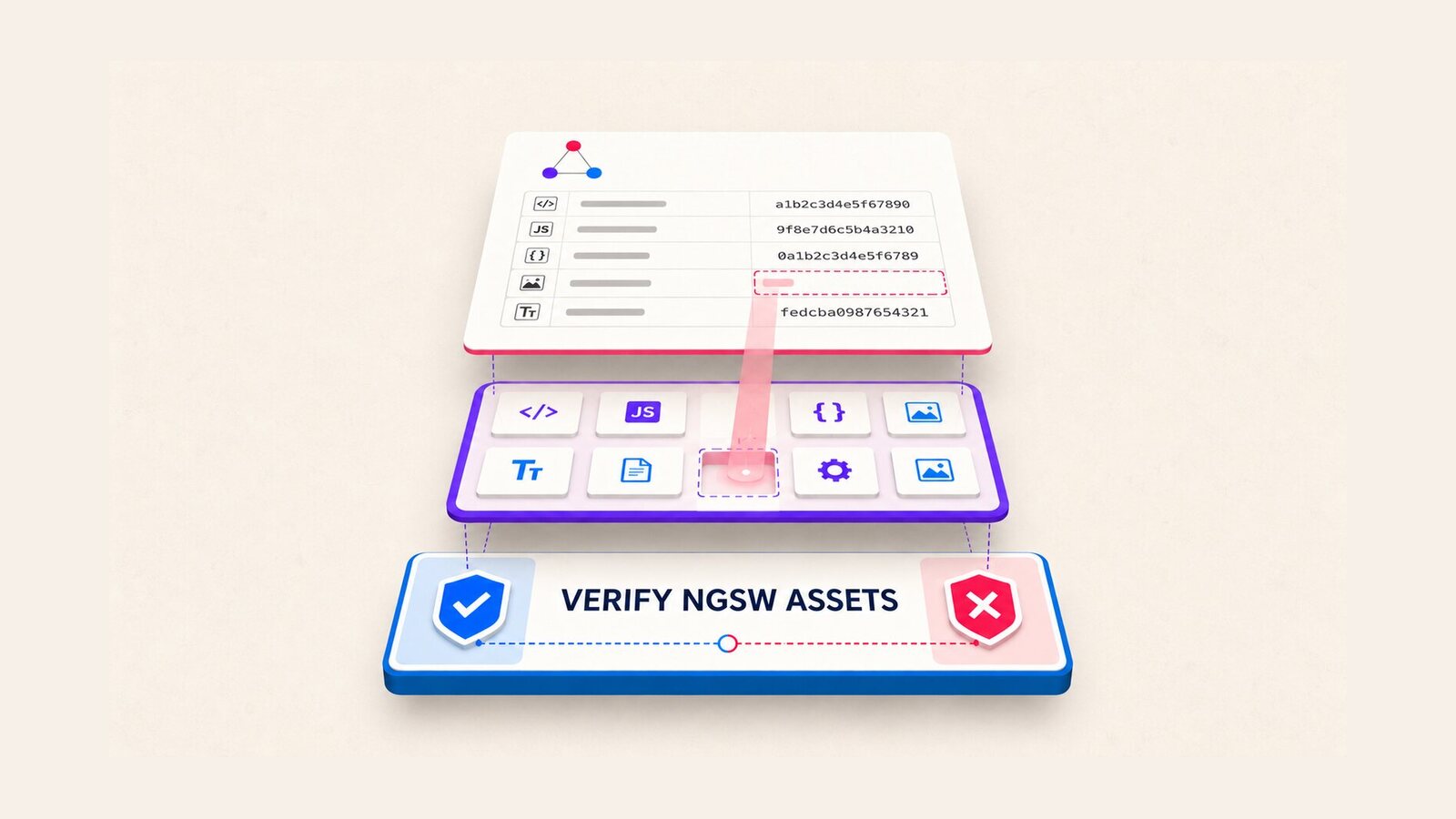
An Angular application can finish a production build and still publish a service-worker manifest that names a file absent from the browser output. When that happens, deployment succeeds but the service worker cannot fetch every versioned asset. The practical defense is an Angular ngsw.json missing assets gate that compares the generated manifest with the exact directory your web server or CDN will receive.
This guide adds that gate without reimplementing Angular’s service worker. It covers SSR output, localized builds, CI wiring, failure diagnosis, and the boundary between an existence check and Angular’s later content-hash validation. The checker shown below was exercised against one deliberately broken fixture and one complete fixture; it was not used to claim that every Angular version or builder combination has been rebuilt here.
Table of Contents
Why Angular ngsw.json missing assets breaks deployment
ngsw.json is generated from the final browser build. Its hashTable maps deployable URLs to content hashes, while each asset group’s urls array lists files assigned to that cache group. If either collection names a local URL that is not present under the deployment root, the service worker requests a file the release did not ship.
This is different from a normal lazy route or runtime API call. The manifest describes one immutable application version. Angular’s service-worker documentation explains that a failed hash check can invalidate that version and, in serious cases, place the worker in a safe mode that avoids serving potentially mismatched application resources.
Angular CLI issue #33922 documented a concrete path collision: with the application builder, SSR, localization, and CSS imported from JavaScript, a server-only output could share a path with a browser resource during service-worker manifest generation. The resulting manifest could reference a stylesheet missing from the browser directory. The issue reported reproductions on CLI 19.2.27, 20.3.15, 21.2.4, and 22.1.3; that list is evidence for those tested combinations, not proof that every patch in those release lines is affected.
Confirm the affected build shape
Start from the artifact, not from a browser cache. Run the same production command used by the release pipeline, then identify the directory actually uploaded to the web server. A typical SSR application-builder layout is:
dist/
  storefront/
    browser/
      index.html
      main-....js
      styles-....css
      ngsw.json
    server/
      server.mjs
A localized build may put one manifest below each locale:
dist/storefront/browser/en/ngsw.json
dist/storefront/browser/sv/ngsw.json
For those manifests, URLs can begin with /en/ or /sv/. The comparison root must therefore be dist/storefront/browser, not the locale directory. Using the wrong root creates false failures even when the release is complete.
Inspect the manifest before adding automation. A missing entry normally looks like a URL present in hashTable but absent from the browser output:
{
  "hashTable": {
    "/en/index.html": "...",
    "/en/main-ABC123.js": "...",
    "/en/styles-XYZ789.css": "..."
  }
}
Do not delete the manifest entry to make the build pass. That would separate the manifest from the application version Angular produced. Fix the build, adopt a release containing the upstream correction, or block deployment until the artifact is internally consistent.
Add a post-build manifest gate
Create tools/verify-ngsw-assets.mjs. The script checks local URLs from both hashTable and generated asset-group URL lists, ignores absolute network URLs, strips query strings and fragments, rejects malformed encoding and path traversal, and fails when a target is missing or is not a file.
#!/usr/bin/env node

import { readFile, stat } from 'node:fs/promises';
import path from 'node:path';

const [manifestArg, deployRootArg] = process.argv.slice(2);

if (!manifestArg || !deployRootArg) {
  console.error(
    'Usage: node verify-ngsw-assets.mjs <ngsw.json> <deploy-root>'
  );
  process.exit(2);
}

const manifestPath = path.resolve(manifestArg);
const deployRoot = path.resolve(deployRootArg);
const manifest = JSON.parse(await readFile(manifestPath, 'utf8'));

const candidates = new Set([
  ...Object.keys(manifest.hashTable ?? {}),
  ...(manifest.assetGroups ?? []).flatMap(
    (group) => group?.urls ?? []
  )
]);

const missing = [];
const unsafe = [];

for (const rawUrl of candidates) {
  if (typeof rawUrl !== 'string' || rawUrl.length === 0) continue;
  if (/^(?:[a-z][a-z0-9+.-]*:|\/\/)/i.test(rawUrl)) continue;

  const withoutSuffix = rawUrl.split(/[?#]/, 1)[0];
  let decoded;

  try {
    decoded = decodeURIComponent(withoutSuffix);
  } catch {
    unsafe.push(`${rawUrl} (invalid percent-encoding)`);
    continue;
  }

  const relativePath = decoded.replace(/^\/+/, '');
  const resolved = path.resolve(deployRoot, relativePath);
  const relative = path.relative(deployRoot, resolved);

  if (relative === '..' || relative.startsWith(`..${path.sep}`)
      || path.isAbsolute(relative)) {
    unsafe.push(`${rawUrl} (escapes deploy root)`);
    continue;
  }

  try {
    const info = await stat(resolved);
    if (!info.isFile()) missing.push(rawUrl);
  } catch (error) {
    if (error?.code === 'ENOENT') missing.push(rawUrl);
    else throw error;
  }
}

if (unsafe.length || missing.length) {
  for (const entry of unsafe) console.error(`UNSAFE ${entry}`);
  for (const entry of missing) console.error(`MISSING ${entry}`);
  process.exit(1);
}

console.log(
  `Verified ${candidates.size} local ngsw.json references under ${deployRoot}`
);
The script intentionally does not check dataGroups or navigationUrls. Data groups describe runtime network caching, and navigation URLs are route-matching patterns rather than emitted files. Treating either as a local asset list would create misleading failures.
Run the gate for every locale
For a single-locale build, run the checker after ng build and before packaging:
node tools/verify-ngsw-assets.mjs \
  dist/storefront/browser/ngsw.json \
  dist/storefront/browser
For a localized Linux CI job, discover every generated manifest but keep the browser directory as the common deployment root:
set -euo pipefail

root="dist/storefront/browser"
count=0

while IFS= read -r -d '' manifest; do
  count=$((count + 1))
  node tools/verify-ngsw-assets.mjs "$manifest" "$root"
done < <(find "$root" -name ngsw.json -type f -print0)

if [ "$count" -eq 0 ]; then
  echo "No ngsw.json files were generated" >&2
  exit 1
fi
The explicit zero-manifest failure matters. Otherwise a misconfigured build with the service worker disabled would skip the loop and appear healthy. If your application deliberately has an environment without a service worker, make that environment choose a different script instead of weakening this gate globally.
Wire the gate into CI
Add an npm script that preserves the build-before-check order:
{
  "scripts": {
    "build:prod": "ng build --configuration production",
    "verify:ngsw": "node tools/verify-all-ngsw-assets.mjs",
    "build:release": "npm run build:prod && npm run verify:ngsw"
  }
}
The wrapper named above can implement the same directory walk in Node for cross-platform teams, or the pipeline can invoke the tested single-manifest checker once per discovered manifest. The important contract is that the validation reads the untouched build output and that the upload step consumes that same directory afterward.
A minimal GitHub Actions sequence is:
- name: Build release artifact
  run: npm run build:release

- name: Upload browser artifact
  uses: actions/upload-artifact@v4
  with:
    name: storefront-browser
    path: dist/storefront/browser
Place optimization, compression, or filename-rewriting steps either before both manifest generation and validation, or after validation only if they preserve every path. If a later step removes or renames files, validate the final upload directory again.
Interpret a failure
A failure should print the manifest URL, for example:
MISSING /en/styles-XYZ789.css- Confirm that the missing path is absent from the artifact, not merely from a local development server.
- Search the browser and server output trees for the same basename. A server-only copy is a strong signal that output records collided.
- Compare the build configuration used locally with the release configuration, especially
outputPath,localize, SSR, service-worker, and style-import settings. - Delete the output directory and rebuild. A clean build prevents stale files from hiding a broken manifest.
- Record the Angular CLI version with
ng version; do not infer it from the framework package alone.
The checker was verified with a fixture whose manifest referenced three local files while only two existed. It exited with code 1 and named the missing stylesheet. After the stylesheet was added, the same command exited with code 0 and reported three verified references. This proves the guard’s fail/pass behavior for the fixture; it does not substitute for running your production build matrix.
Production risks and edge cases
- Base href and deployment prefixes: pass the directory that corresponds to URL root. If the application is deployed below
/shop/, decide whether the artifact contains ashopdirectory or the CDN removes that prefix, then map consistently. - Localized output: one manifest can succeed while another fails. Discover and validate every locale rather than checking the first result from
find. - External resources: absolute
https:, protocol-relative, and other scheme URLs are not files in the artifact and are skipped. Availability of those resources needs a separate network policy. - Encoded paths: invalid percent encoding fails closed. Decoded paths that escape the deployment root are rejected instead of being read from the CI runner.
- Case sensitivity: Linux CI and most production hosts are case-sensitive. Run the check in a filesystem environment that matches production so
Logo.svgdoes not mask a manifest entry forlogo.svg. - Directories: an existing directory does not satisfy a file URL. The checker requires
stat().isFile(). - Hashes: existence is necessary but not sufficient. This guard does not recompute Angular’s hashes. Angular’s service worker performs content-hash validation when it installs or updates a version.
- Deploy races: upload versioned assets before exposing the new
ngsw.json. Removing the old version too early can also strand clients that still run it.
Keep the validation close to artifact creation. Running it against a mutable server after deployment mixes manifest correctness with CDN propagation, cache rules, authentication, and network availability. Those are important checks, but they answer a different question.
Release status and upgrade strategy
Angular CLI pull request #33936 merged the correction on August 27, 2026. Its fix preserves duplicate bundle filenames across output file types instead of allowing a server record to replace the browser record used by service-worker generation.
As of September 2, 2026, the fix appears in the Angular CLI 22.2.0-next.6 prerelease notes. The stable 22.1.7 release notes published the same day do not list that commit. Do not deploy a prerelease solely to remove this gate, and do not assume a stable patch contains the correction unless its official release notes or your artifact check confirms it.
- On a supported stable line, keep the post-build guard and review the release notes for a backport.
- In a controlled test branch, evaluate the fixed release against the real SSR, localization, and imported-style matrix.
- Retain the guard after upgrading. It protects against future builder regressions and later artifact-processing mistakes, not only this specific Angular CLI defect.
The result is a narrow, repeatable release contract: every local URL in the generated service-worker manifest must resolve to a real file in the artifact that will be deployed. That Angular ngsw.json missing assets check turns a delayed browser failure into a named CI error while leaving Angular responsible for cache behavior and hash verification.
References
- Angular CLI issue #33922: service worker may include assets not present in browser output
- Angular CLI pull request #33936: preserve duplicate bundle filenames across output file types
- Angular service worker: DevOps and version integrity
- Angular service worker configuration
- Angular CLI 22.2.0-next.6 release notes
- Angular CLI 22.1.7 release notes
Found this useful? Support more practical developer content.