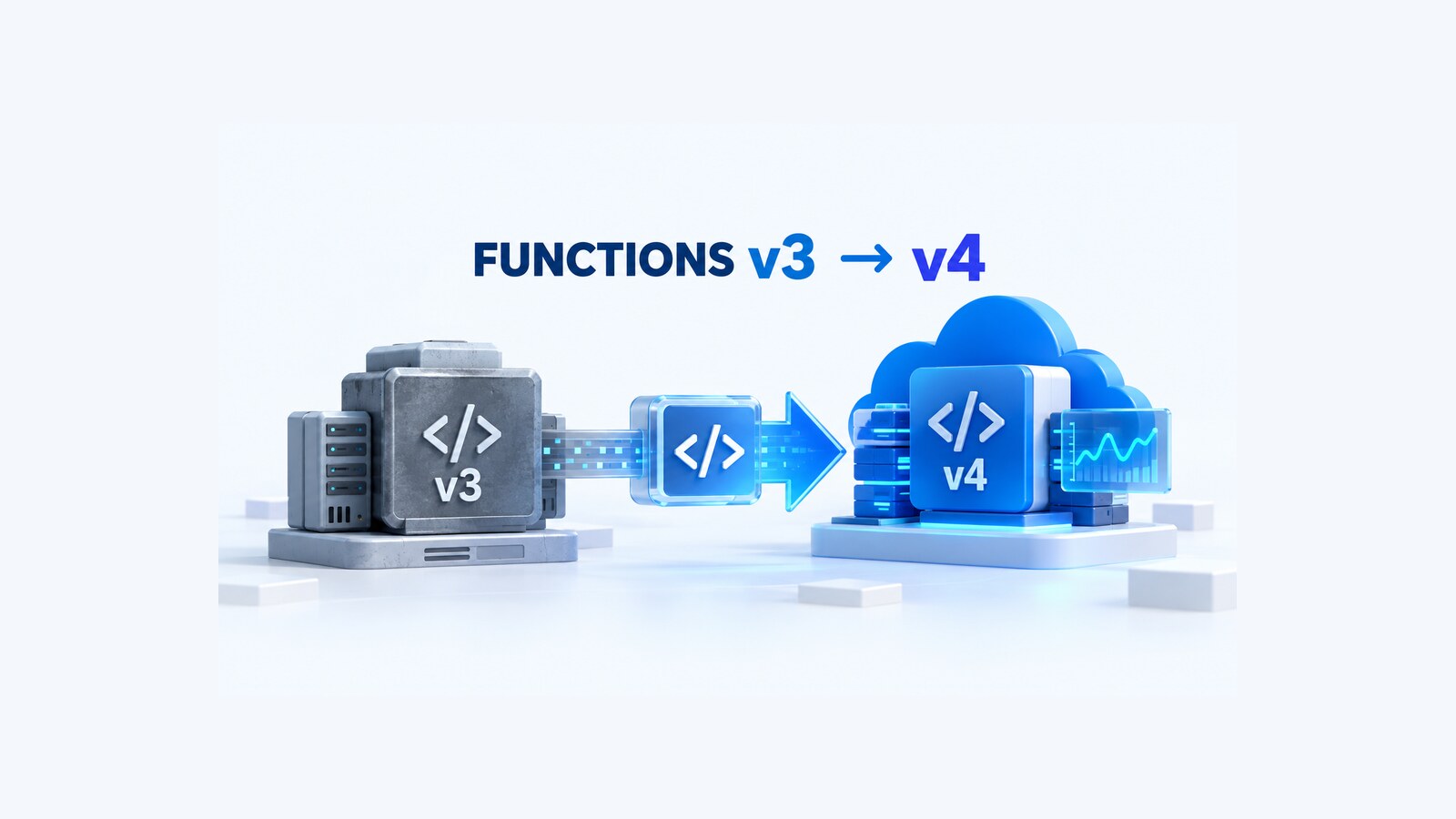
An Azure Functions app can appear healthy today and still be on a path to a hard outage. Microsoft states that Functions v3 apps hosted on Linux Consumption stop running after September 30, 2026. That is different from the broader Linux Consumption hosting-plan retirement on September 30, 2028. For a C# app, an upgrade that only changes FUNCTIONS_EXTENSION_VERSION to ~4 can also leave two near-term problems: the .NET in-process model reaches end of support on November 10, 2026, and .NET 10 cannot run on Linux Consumption.
The durable path is therefore a coordinated migration: move the code to the isolated worker model, target .NET 10, run it on Functions runtime v4, and create a new Flex Consumption app. This guide turns that path into an inventory, code migration, deployment, verification, and rollback plan. The commands are documented Azure CLI operations; they are templates, not a claim that they were executed against your subscription.
Table of Contents
Separate the three deadlines before changing anything
Treat runtime, process model, and hosting plan as separate axes:
- Functions v3 on Linux Consumption: stops running after September 30, 2026.
- The .NET in-process model: support ends November 10, 2026.
- Linux Consumption hosting: retires September 30, 2028, but receives no new features or language versions.
Windows Consumption apps are not part of the September 30, 2026 stop condition. Likewise, a Linux app already on Functions v4 is not blocked by the v3 deadline, although its language version and hosting plan can still need work.
For .NET specifically, Microsoft lists .NET 10 as supported on Functions v4 only in the isolated worker model. Microsoft also states that .NET 10 cannot run on Linux Consumption and points Linux apps to Flex Consumption. That is why this guide does not recommend a quick move to .NET 8 on the old plan as the final state: .NET 8 and the in-process model both reach end of support on November 10, 2026.
Inventory the apps that are actually exposed
Start with subscription-wide evidence instead of relying on the portal overview for one app. The Functions v3 migration guide provides a PowerShell inventory based on FUNCTIONS_EXTENSION_VERSION:
$Subscription = '<SUBSCRIPTION_ID>'
Set-AzContext -Subscription $Subscription | Out-Null

$FunctionApps = Get-AzFunctionApp
$AppInfo = @{}

foreach ($App in $FunctionApps) {
    if ($App.ApplicationSettings['FUNCTIONS_EXTENSION_VERSION'] -like '*3*') {
        $AppInfo.Add($App.Name, $App.ApplicationSettings['FUNCTIONS_EXTENSION_VERSION'])
    }
}

$AppInfo
Then ask the Flex migration command to assess Linux Consumption apps in the active subscription:
az functionapp flex-migration listThe output separates eligible_apps from ineligible_apps and supplies incompatibility reasons. Preserve that output with your change record. Also capture the current app and settings before editing them:
az functionapp show \
  --name <SOURCE_APP_NAME> \
  --resource-group <SOURCE_RESOURCE_GROUP> \
  --output json > source-app.json

az functionapp config appsettings list \
  --name <SOURCE_APP_NAME> \
  --resource-group <SOURCE_RESOURCE_GROUP> \
  --output json > source-app-settings.json
Do not commit either JSON file without reviewing it. App settings can contain secrets or secret-bearing URLs.
Resolve Flex blockers before migrating code
An eligibility result is the start of the review, not the entire review. Check the constraints that change the architecture:
- Region and stack. Confirm that Flex exists in the current region and that
dotnet-isolatedwith version10.0is available there. - Deployment slots. Flex Consumption does not currently support slots. Replace slot-based verification and swap procedures with a separate-app cutover plan.
- Blob triggers. Flex requires event-based Blob triggers that use Event Grid. Container-polling triggers must be redesigned before migration.
- Certificates and authentication. Certificates are not transferred as a transparent detail, and built-in authentication settings must be reconfigured and verified.
- Dependent services. Record managed identities, role assignments, Key Vault access, messaging permissions, private endpoints, CORS, custom domains, DNS, and firewall allowlists.
Use the current regional capability endpoints instead of assuming that a stack available in one region exists everywhere:
az functionapp list-flexconsumption-locations \
  --query "sort_by(@, &name)[].{Region:name}" \
  --output table

az functionapp list-flexconsumption-runtimes \
  --location <REGION> \
  --runtime dotnet-isolated \
  --query "[?version=='10.0'].version" \
  --output tsv
An empty second result is a stop condition. Choose a supported region deliberately or change the target; do not deploy with an inferred stack value.
Migrate the C# project to .NET 10 isolated
The safest repository change is one that makes the process-model transition explicit. An in-process project normally references Microsoft.NET.Sdk.Functions and uses Microsoft.Azure.WebJobs.* binding packages. An isolated project uses Azure.Functions.Sdk, Microsoft.Azure.Functions.Worker, and Microsoft.Azure.Functions.Worker.Extensions.* packages.
The following project fragment shows the target shape. Package versions are intentionally placeholders: resolve current stable versions from Microsoft’s migration guide and each binding’s documentation when you perform the migration, then lock them through the repository’s normal dependency process.
<Project Sdk="Azure.Functions.Sdk/1.0.0">
  <PropertyGroup>
    <TargetFramework>net10.0</TargetFramework>
    <ImplicitUsings>enable</ImplicitUsings>
    <Nullable>enable</Nullable>
  </PropertyGroup>

  <ItemGroup>
    <FrameworkReference Include="Microsoft.AspNetCore.App" />
    <PackageReference Include="Microsoft.Azure.Functions.Worker"
                      Version="<CURRENT_STABLE>" />
    <PackageReference Include="Microsoft.Azure.Functions.Worker.Extensions.Http.AspNetCore"
                      Version="<CURRENT_STABLE>" />
    <PackageReference Include="Microsoft.ApplicationInsights.WorkerService"
                      Version="<CURRENT_STABLE>" />
    <PackageReference Include="Microsoft.Azure.Functions.Worker.ApplicationInsights"
                      Version="<CURRENT_STABLE>" />
  </ItemGroup>
</Project>
Add Program.cs; startup configuration no longer belongs in a class marked with FunctionsStartup:
using Microsoft.Azure.Functions.Worker;
using Microsoft.Extensions.DependencyInjection;
using Microsoft.Extensions.Hosting;

var host = new HostBuilder()
    .ConfigureFunctionsWebApplication()
    .ConfigureServices(services =>
    {
        services.AddApplicationInsightsTelemetryWorkerService();
        services.ConfigureFunctionsApplicationInsights();
    })
    .Build();

host.Run();
For an app without HTTP triggers, ConfigureFunctionsWorkerDefaults() can replace ConfigureFunctionsWebApplication(). Do not copy that change blindly into an HTTP app; the ASP.NET Core integration affects its HTTP types and behavior.
Update local worker selection:
{
  "IsEncrypted": false,
  "Values": {
    "AzureWebJobsStorage": "UseDevelopmentStorage=true",
    "FUNCTIONS_WORKER_RUNTIME": "dotnet-isolated"
  }
}
Never add real production settings to local.settings.json or source control.
Convert functions and bindings deliberately
The process-model migration is not just a project-file edit. For each function:
- Replace
[FunctionName("Name")]with[Function("Name")]. - Replace
Microsoft.Azure.WebJobsnamespaces withMicrosoft.Azure.Functions.Workerequivalents. - Inject
ILogger<T>through the function class constructor instead of taking anILoggerparameter. - Review every trigger and binding attribute against its isolated-worker documentation.
- Move output bindings from method parameters to the return value or an output model.
- Replace imperative
IBinderandIAsyncCollector<T>patterns with supported bindings or injected Azure SDK clients. - If ASP.NET Core integration is used, change synchronous request and response I/O to asynchronous methods; synchronous I/O can throw
InvalidOperationException.
Here is a minimal HTTP-trigger shape using ASP.NET Core integration:
using Microsoft.AspNetCore.Http;
using Microsoft.AspNetCore.Mvc;
using Microsoft.Azure.Functions.Worker;
using Microsoft.Extensions.Logging;

public sealed class HealthFunction(ILogger<HealthFunction> logger)
{
    [Function("Health")]
    public IActionResult Run(
        [HttpTrigger(AuthorizationLevel.Function, "get", Route = "health")]
        HttpRequest request)
    {
        logger.LogInformation("Health endpoint invoked.");
        return new OkObjectResult(new { status = "ok" });
    }
}
Search the repository for migration leftovers:
git grep -nE \
  'Microsoft\.Azure\.WebJobs|Microsoft\.Azure\.Functions\.Extensions|FunctionName|FunctionsStartup|IAsyncCollector|IBinder'
Every match needs a conscious disposition. A zero-match rule is appropriate for the old namespaces and attributes in a fully isolated project, but business models can legitimately contain similarly named text, so review the output rather than deleting mechanically.
Build and test the v4 payload
Use a clean build and Functions Core Tools v4 locally:
dotnet restore --locked-mode
dotnet build --configuration Release --no-restore
dotnet test --configuration Release --no-build
func start
The first three commands are only valid if the repository commits a lock file and its test projects support those flags. Adapt them to the build contract; do not remove restore integrity merely to make the example pass.
With the local host running, invoke each trigger class through a repeatable smoke test. For HTTP triggers, verify status, response body, authentication behavior, and failure paths. For queue, Service Bus, Event Hubs, timer, or Durable Functions, verify both the trigger and its side effect in an isolated test environment. Confirm that application logs still reach Application Insights: host.json controls host logs, while worker-code filters live in Program.cs.
The article does not claim these commands were run against your project. They are the executable verification procedure that your migration must pass.
Create the Flex app without overwriting the source
The automated CLI command creates a new Flex Consumption app and migrates most configuration. It does not convert the existing app in place:
az functionapp flex-migration start \
  --source-name <SOURCE_APP_NAME> \
  --source-resource-group <SOURCE_RESOURCE_GROUP> \
  --name <NEW_APP_NAME> \
  --resource-group <TARGET_RESOURCE_GROUP>
Keeping distinct source and target apps provides a rollback boundary. It also introduces a duplication risk: event-driven source and target apps must not process the same queue, topic, event stream, timer, or Blob events at the same time. Define how triggers are quiesced before deployment. For HTTP traffic, plan DNS, gateway, or client cutover separately.
After creation, verify what automation copied instead of assuming parity:
az functionapp show \
  --name <NEW_APP_NAME> \
  --resource-group <TARGET_RESOURCE_GROUP> \
  --query "{name:name,state:state,kind:kind,host:defaultHostName}" \
  --output table

az functionapp config appsettings list \
  --name <NEW_APP_NAME> \
  --resource-group <TARGET_RESOURCE_GROUP> \
  --output table

az functionapp identity show \
  --name <NEW_APP_NAME> \
  --resource-group <TARGET_RESOURCE_GROUP>
Recreate and verify role assignments for the new managed-identity principal. If the app reads secrets, the related DotNetCoder guide, Azure Key Vault in ASP.NET Core: Managed Identity and RBAC, explains the identity and data-plane authorization boundary; the same boundary matters when a Function App receives a new identity.
Deploy, verify, and cut over with explicit gates
Deploy the exact artifact that passed CI, not a local rebuild with different dependencies. Then run these gates before enabling production triggers or routing traffic:
- The app reports
Running, Flex Consumption, Functions runtime v4,dotnet-isolated, and .NET 10. - The deployed function list matches the source inventory.
- Every app setting has an owner and expected value; authentication, CORS, domains, certificates, networking, and identities were checked separately.
- Managed-identity calls to Key Vault, Storage, Service Bus, Event Hubs, and other dependencies succeed without copied secrets.
- Each trigger processes a controlled test message or request exactly once.
- Application Insights receives host and worker logs, failures, dependencies, and correlation identifiers.
- Alerts, dashboards, scale ceilings, memory settings, and concurrency limits are appropriate for Flex.
Only then quiesce the source triggers and enable or route to the target. For non-idempotent consumers, record the final source checkpoint and first target checkpoint. A green /health endpoint does not prove that a queue trigger, identity assignment, or output binding works.
Keep rollback possible without duplicate work
Do not delete the source app immediately. Microsoft recommends keeping it for a period while the new app is verified. The rollback plan should name:
- the signal that triggers rollback;
- who can stop target triggers and restart source triggers;
- how HTTP routing or DNS returns to the old endpoint;
- how pending events are prevented from being processed twice;
- how state written by the new app is reconciled;
- the maximum acceptable rollback window.
For event-driven apps, disable the target before re-enabling the source. For timers, confirm which schedule occurrence has already executed. For Durable Functions, treat orchestration state and task-hub configuration as migration-specific data; a generic app switch is not enough.
The September 30 deadline is a reason to move quickly, not a reason to skip observability or rollback engineering. The source app is a safety net only if its code, configuration, dependencies, and trigger ownership remain coherent.
References
- Migrate Azure Functions v3 apps to runtime v4
- Migrate C# apps from in-process to the isolated worker model
- Run C# Azure Functions in the isolated worker model
- Migrate Linux Consumption apps to Flex Consumption
Found this useful? Support more practical developer content.