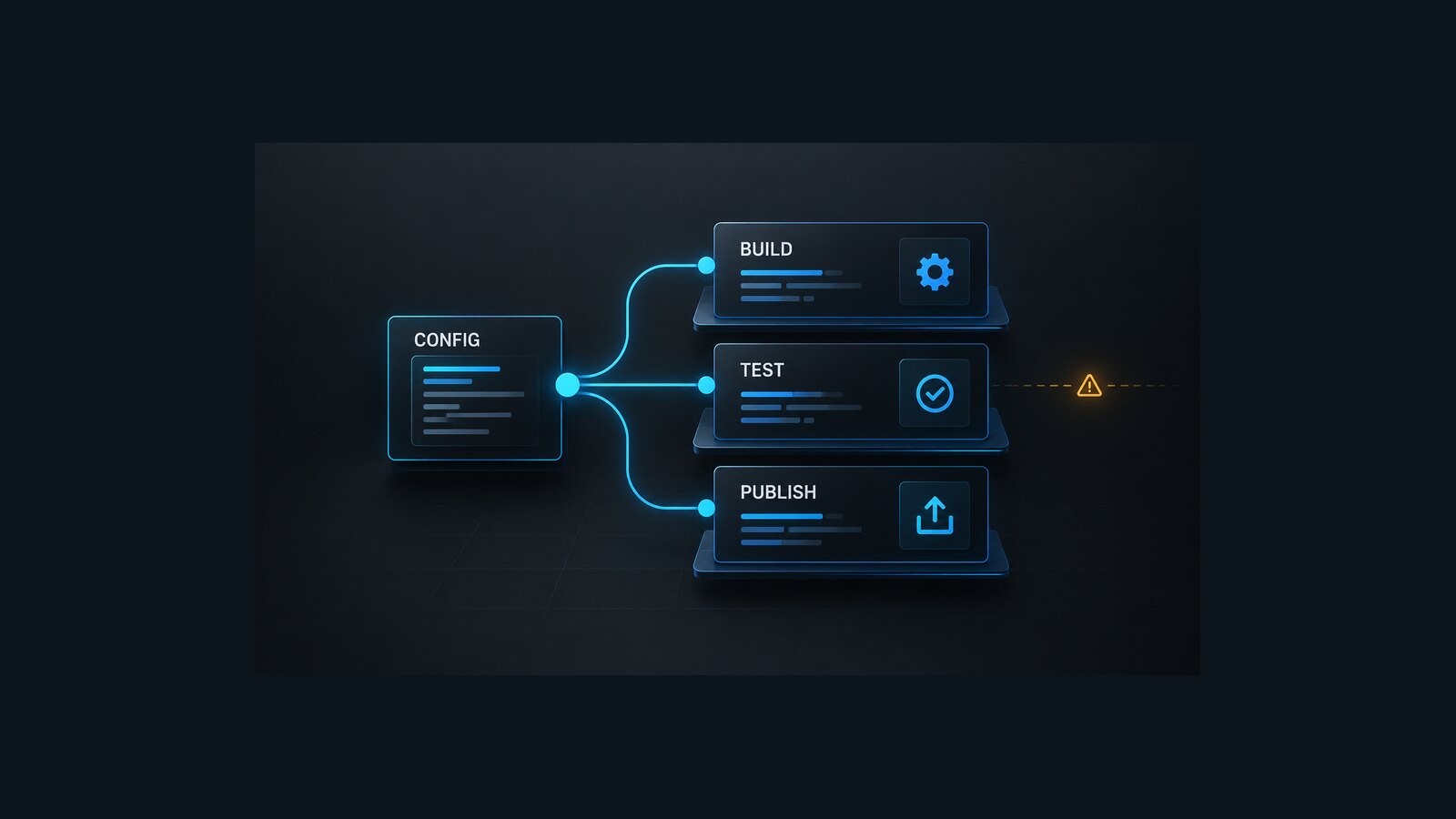
The .NET 11 Configuration environment variable changes how the .NET CLI resolves the shared -c/--configuration option in RC1. When a command does not provide that option, the CLI can now take its default from an environment variable named exactly Configuration. That is convenient when a pipeline deliberately defines one build configuration. It is risky when the value is inherited from a runner image, a reusable workflow, a container, or an older pipeline template.
The failure mode is subtle because the command can still succeed. A job that previously used Debug by default can start producing Release outputs, or a job that assumes Release can inherit a custom value. Downstream steps may then read a different directory, reuse stale artifacts, skip the files they intended to scan, or publish a package built with settings the reviewer did not see in the command line.
The safe upgrade is not to ban the environment variable. It is to make the repository’s policy explicit, log the effective input, and verify the artifacts that cross stage boundaries.
Table of Contents
How the .NET 11 Configuration environment variable changed
The .NET 11 RC1 SDK release notes describe Configuration as the default for shared --configuration/-c options. An explicit command-line option takes precedence, and an empty or whitespace-only environment value is ignored.
Treat the .NET 11 Configuration environment variable as a versioned pipeline input: its name, scope, expected values, and precedence should be visible in the same review as the SDK upgrade.
The implementation is in the shared CLI option factory. The SDK source uses that factory for dotnet build, clean, run, pack, publish, and test. The merged change also includes parser tests for the environment default and explicit-option precedence, plus an end-to-end solution test for dotnet test.
This is an SDK behavior change, not a change to the Configuration MSBuild property itself. It matters at the orchestration layer: a command that omits -c can now behave as though the value had been supplied to the shared option.
Do not generalize the rule to every dotnet subcommand. Audit commands that expose the shared configuration option, and confirm unfamiliar or third-party commands independently.
Why an ambient value can break an otherwise green pipeline
Most pipelines encode the build configuration in more than one place. A workflow variable may feed an environment variable, an MSBuild property, a directory name, a cache key, and an artifact upload path. Those representations can drift.
Consider a job that runs dotnet build without -c but uploads src/App/bin/Debug. Under .NET 11 RC1, an inherited Configuration=Release makes the build write to the Release tree while the upload step continues looking in Debug. Depending on the workspace, the upload can fail, upload nothing, or collect stale files left by an earlier step.
The same mismatch can affect:
- test steps that use
--no-buildand expect binaries under another configuration; dotnet packjobs whose symbols or package properties differ between Debug and Release;- publish stages that copy from a hard-coded output directory;
- cache keys that omit the configuration even though cached intermediates depend on it;
- matrices where the matrix value and the inherited environment value disagree;
- container builds that set
ENV Configuration=...for a different tool.
A successful process exit proves that the command completed. It does not prove that the next stage consumed the intended artifacts.
Audit the value before changing the SDK
Start with the pipeline definition and every template it calls. Search for the exact mixed-case name as well as explicit configuration arguments and properties:
git grep -n -E '(^|[^A-Za-z0-9_])Configuration([^A-Za-z0-9_]|$)|--configuration|-c[[:space:]]+(Debug|Release)|[/-]p:Configuration' -- \
  ':!**/bin/**' ':!**/obj/**'
Then log whether the process actually receives the variable. Do not print the complete environment because CI environments can contain secrets. A narrow PowerShell probe works on Windows, Linux, and macOS agents that provide PowerShell:
$ambient = [Environment]::GetEnvironmentVariable('Configuration')

if ([string]::IsNullOrWhiteSpace($ambient)) {
    Write-Host 'Configuration=<unset-or-whitespace>'
}
else {
    Write-Host "Configuration=$ambient"
}
Run the probe in the same step or container as the .NET command. Values can differ between a host job, a service container, and a nested shell.
For a representative project, query the resolved MSBuild property without compiling it:
dotnet msbuild src/App/App.csproj -getProperty:Configuration
dotnet msbuild src/App/App.csproj -property:Configuration=Release -getProperty:Configuration
The first command exposes the ambient/evaluated value seen by MSBuild. The second proves that an explicit property resolves to the intended value. This diagnostic does not replace an end-to-end build; imports and command-specific orchestration still need to be exercised in the real pipeline.
Choose one repository policy
Two policies are defensible. Mixing them is not.
Policy A: every production command is explicit
Pass -c on every build, test, pack, publish, and run command that participates in CI. Treat the ambient variable as an input that must agree with the command, not as the source of truth.
This policy makes pull requests self-contained: reviewers can see the configuration next to the command. It also protects scripts when they are invoked outside the original pipeline.
Policy B: one intentional environment default
Set Configuration once at the narrowest useful scope, log it, and derive paths, cache keys, and artifact names from the same value. Do not also hard-code Debug or Release elsewhere.
This policy reduces repetition in large command graphs, but it makes hidden inheritance more important. Reusable workflows and container images must document the variable as part of their interface.
For most repositories, Policy A is easier to review and safer during the .NET 11 transition. Policy B is reasonable when a central pipeline library already treats the configuration as a typed, validated input.
Add a guard before the first build
The following PowerShell script accepts the repository’s intended configuration, rejects a conflicting nonblank ambient value, and emits a stable output that later steps can consume. It does not change the environment or build the project.
param(
    [ValidateSet('Debug', 'Release')]
    [string] $Expected = 'Release'
)

$ambient = [Environment]::GetEnvironmentVariable('Configuration')

if (-not [string]::IsNullOrWhiteSpace($ambient) -and
    -not [StringComparer]::OrdinalIgnoreCase.Equals($ambient, $Expected)) {
    throw "Configuration drift: expected '$Expected', inherited '$ambient'."
}

Write-Host "Using configuration: $Expected"
if ($env:GITHUB_OUTPUT) {
    "configuration=$Expected" | Out-File -FilePath $env:GITHUB_OUTPUT -Append
}
If the script is used outside GitHub Actions, replace the final line with the output mechanism for that CI system. Keep the comparison and the .NET commands portable; only the handoff syntax is platform-specific.
If custom configurations such as Staging are valid, replace ValidateSet with a repository-owned allow-list. Do not accept arbitrary strings merely because MSBuild can create a new output folder for them.
Make the command chain internally consistent
Use one value for restore-independent build, test, pack, and publish steps. A straightforward sequence is:
$configuration = 'Release'

New-Item -ItemType Directory -Force artifacts | Out-Null
Remove-Item artifacts/test, artifacts/packages, artifacts/publish -Recurse -Force -ErrorAction SilentlyContinue

dotnet restore Repo.sln --locked-mode
if ($LASTEXITCODE -ne 0) { exit $LASTEXITCODE }

dotnet build Repo.sln -c $configuration --no-restore -bl:artifacts/build.binlog
if ($LASTEXITCODE -ne 0) { exit $LASTEXITCODE }

dotnet test Repo.sln -c $configuration --no-build --results-directory artifacts/test
if ($LASTEXITCODE -ne 0) { exit $LASTEXITCODE }

dotnet pack src/Library/Library.csproj -c $configuration --no-build -o artifacts/packages
if ($LASTEXITCODE -ne 0) { exit $LASTEXITCODE }

dotnet publish src/App/App.csproj -c $configuration --no-build -o artifacts/publish
if ($LASTEXITCODE -ne 0) { exit $LASTEXITCODE }
The explicit -c arguments are intentional even though the local variable repeats. They keep each command safe when copied into another job. The --no-build steps also stop later commands from silently rebuilding into a second tree. Use a clean workspace so stale binaries cannot conceal a missing output.
Adjust the sequence for the repository. A solution that does not build every packable or publishable project must build those projects before using --no-build. Do not copy this exact command graph without checking project references, runtime identifiers, target frameworks, and signing steps.
Verify artifacts, not just command lines
Add checks at the boundary where artifacts leave the job. At minimum, verify all of the following:
- The build log records the selected configuration.
- Test assemblies come from the same configuration that the build step produced.
- Package and publish output directories are empty before the job writes them.
- Artifact upload paths are derived from the chosen configuration or use explicit
-odirectories. - Cache keys include every input that changes compiled output, including the configuration where relevant.
- The binary log is retained for a failed migration run without exposing secrets in public artifacts.
A small PowerShell boundary check can fail before an empty upload:
$publishRoot = 'artifacts/publish'
$files = Get-ChildItem $publishRoot -File -Recurse -ErrorAction SilentlyContinue

if (-not $files) {
    throw "Publish output is empty: $publishRoot"
}

$files |
    Sort-Object FullName |
    ForEach-Object { $_.FullName.Substring((Get-Location).Path.Length + 1) }
This proves that files exist at the handoff path. It does not prove that the application is correct. Keep existing unit, integration, security, and deployment verification gates.
Handle matrices, containers, and reusable workflows
Matrix jobs should map the matrix value to a local variable and pass it explicitly. Do not let an inherited job-level Configuration compete with the matrix.
Containerized jobs need two checks: the workflow environment and the image definition. Search Dockerfiles and entrypoint scripts for ENV Configuration, and inspect the value inside the running container. Environment names are case-sensitive on Unix-like systems, so audit the exact Configuration name used by the .NET SDK rather than assuming a differently cased variable is equivalent.
Reusable workflows should declare the configuration as an input and validate it at the boundary. If the workflow also exports Configuration, document that behavior and keep it scoped to the job that needs it. A caller should not have to inspect an implementation template to discover which configuration its artifacts use.
Self-hosted runners deserve special attention because service-level environment variables can outlive an individual repository. Record the runner image or service configuration that supplies the value, and remove accidental machine-wide defaults.
Roll out without losing diagnostic evidence
Upgrade one representative CI lane to .NET 11 RC1 first. Choose a lane that builds, tests, and publishes the same way as production, but does not deploy automatically.
Before the upgrade, capture the expected configuration, output paths, package names, and test assembly locations. After the upgrade, compare those invariants rather than elapsed time or exit code alone. Keep the .NET 10 lane temporarily if the repository needs a rollback reference, but do not allow both lanes to upload to the same artifact name or package feed.
If the upgraded lane changes output unexpectedly, inspect the narrow Configuration probe and the MSBuild binary log. Fix the source of the value or add explicit -c arguments. Do not paper over the mismatch by copying whichever directory happens to exist.
Once every relevant command and handoff is explicit, promote the SDK change through the remaining lanes. The resulting pipeline is safer on .NET 11 and clearer on earlier SDKs because its build contract no longer depends on an invisible default.
References
- .NET 11 RC1 SDK release notes
- dotnet/sdk PR 55431: Honor Configuration environment variable in CLI options
- .NET CLI
dotnet buildcommand - MSBuild command-line reference
- MSBuild environment properties
Found this useful? Support more practical developer content.