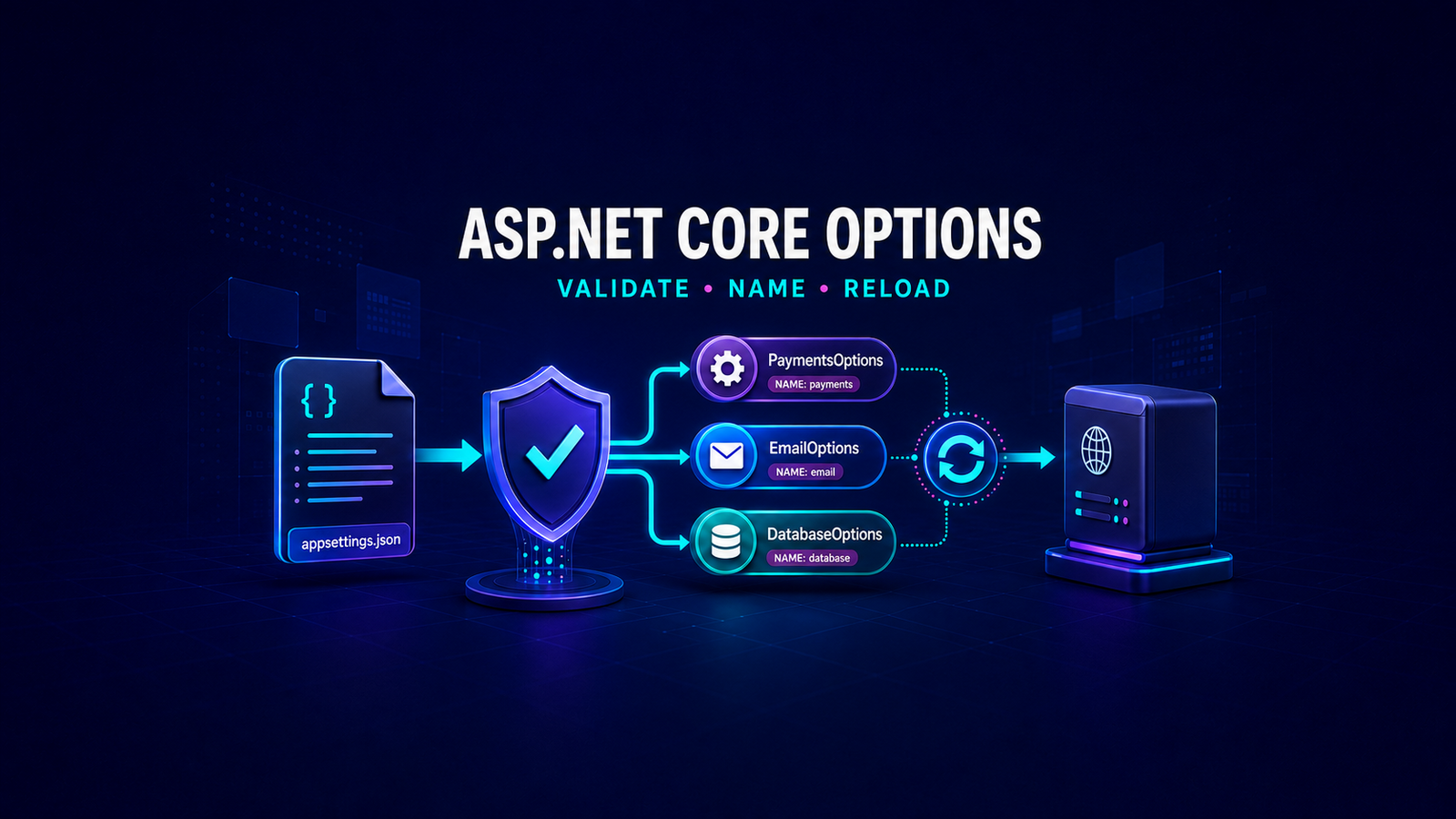
The Options Pattern in ASP.NET Core should start with two decisions: whether invalid configuration must stop the application, and whether values are fixed for the process, fixed for one request, or expected to change while the process is running. In a production .NET 10 application, bind each configuration scenario to a dedicated options class, validate it at startup, and inject the narrowest options interface that matches the required lifetime.
The safe default is IOptions<T> plus ValidateOnStart(). Choose IOptionsSnapshot<T> only for request-scoped refresh semantics, and IOptionsMonitor<T> only when a singleton or long-lived service genuinely needs current values or change notifications. Reloadable configuration is an operational feature, not a free upgrade: the provider must support reload, validation still matters, and dependent runtime state must be replaced atomically.
Table of Contents
Choose the options interface by lifetime
The three common interfaces do not represent “basic, better, best.” They define different caching and lifetime contracts. Selecting one because it sounds more dynamic can add allocations, hide configuration drift, or create a captive-dependency problem.
| Interface | Lifetime and value semantics | Use it when | Avoid it when |
|---|---|---|---|
IOptions<T> | Singleton accessor; the default value is created once and cached | Configuration is fixed for the process | You need named options or live reload |
IOptionsSnapshot<T> | Scoped; values are computed and cached once per request/scope | A request should see one consistent refreshed snapshot | The consumer is a singleton or the recomputation cost is unnecessary |
IOptionsMonitor<T> | Singleton; exposes current and named values plus notifications | A long-lived service must react to supported configuration changes | The value never changes, or reload side effects are not designed |
IOptionsSnapshot<T> is scoped and must not be injected into a singleton. If service lifetimes are still unclear, review the ASP.NET Core dependency injection lifetime guide before choosing an options interface. IOptionsMonitor<T> is singleton-safe, but that does not make every reloadable dependency safe.
Define one options class per scenario
An options class should model one operational scenario rather than mirror an entire appsettings.json file. Public read-write properties are required for binding through the options interfaces, and the type must be non-abstract with a public parameterless constructor. Defaults should be safe, but required production values should still be validated.
{
  "PaymentApi": {
    "BaseAddress": "https://payments.example.com/",
    "TimeoutSeconds": 10,
    "RetryCount": 2
  }
}
using System.ComponentModel.DataAnnotations;
public sealed class PaymentApiOptions
{
public const string SectionName = "PaymentApi";
[Required, Url]
public string BaseAddress { get; set; } = string.Empty;
[Range(1, 120)]
public int TimeoutSeconds { get; set; } = 10;
[Range(0, 5)]
public int RetryCount { get; set; } = 2;
}Do not place secrets in source-controlled JSON merely because the values bind cleanly. Options are a consumption model, not a secret store. Production credentials should come from an appropriate provider such as the approach described in Azure Key Vault configuration for ASP.NET Core, and code must avoid logging a complete options object that may contain sensitive values.
Bind and validate configuration at startup
Binding without validation converts missing or malformed configuration into delayed runtime failures. A service can start successfully and fail only when the first request touches options.Value. Use OptionsBuilder<T> so binding, validation, and startup behavior remain one explicit registration pipeline.
using Microsoft.Extensions.Options;
builder.Services
    .AddOptions<PaymentApiOptions>()
    .BindConfiguration(PaymentApiOptions.SectionName)
    .ValidateDataAnnotations()
    .Validate(
        options => Uri.TryCreate(
            options.BaseAddress,
            UriKind.Absolute,
            out var uri) && uri.Scheme == Uri.UriSchemeHttps,
        "PaymentApi:BaseAddress must be an absolute HTTPS URL.")
    .ValidateOnStart();
ValidateOnStart() moves configuration failure to application startup, where deployment health checks and orchestrators can detect it. Without it, validation remains lazy and occurs when an options value is first resolved. BindConfiguration also registers a change-token source for the section, which is important if consumers later use IOptionsMonitor<T>.
public sealed class PaymentApiClient
{
    private readonly HttpClient _httpClient;
    public PaymentApiClient(
        HttpClient httpClient,
        IOptions<PaymentApiOptions> options)
    {
        var settings = options.Value;
        httpClient.BaseAddress = new Uri(settings.BaseAddress);
        httpClient.Timeout = TimeSpan.FromSeconds(settings.TimeoutSeconds);
        _httpClient = httpClient;
    }
}
This consumer intentionally uses IOptions<T>: an HTTP client should not silently change its endpoint in the middle of an operation. If endpoint rotation is a requirement, define the transition behavior explicitly instead of replacing the interface and assuming reload is harmless.
Add cross-field and dependency-aware validation
Data annotations work well for local property constraints, but production rules often compare fields or depend on another service. A custom IValidateOptions<T> keeps those rules testable and returns actionable messages. The validator receives the options name, so one implementation can also validate named instances differently.
using Microsoft.Extensions.Options;
public sealed class PaymentApiOptionsValidator
    : IValidateOptions<PaymentApiOptions>
{
    public ValidateOptionsResult Validate(
        string? name,
        PaymentApiOptions options)
    {
        if (!Uri.TryCreate(options.BaseAddress, UriKind.Absolute, out var uri))
        {
            return ValidateOptionsResult.Fail(
                $"{name ?? Options.DefaultName}: BaseAddress is invalid.");
        }
        if (uri.Scheme != Uri.UriSchemeHttps)
        {
            return ValidateOptionsResult.Fail(
                $"{name ?? Options.DefaultName}: BaseAddress must use HTTPS.");
        }
        if (options.RetryCount > 0 && options.TimeoutSeconds < 3)
        {
            return ValidateOptionsResult.Fail(
                "TimeoutSeconds must be at least 3 when retries are enabled.");
        }
        return ValidateOptionsResult.Success;
    }
}
builder.Services.AddSingleton<
IValidateOptions<PaymentApiOptions>,
PaymentApiOptionsValidator>();
builder.Services
.AddOptions<PaymentApiOptions>()
.BindConfiguration(PaymentApiOptions.SectionName)
.ValidateDataAnnotations()
.ValidateOnStart();For nested option objects and collections, ordinary data-annotation validation does not recurse automatically. Current .NET options validation supports [ValidateObjectMembers] and [ValidateEnumeratedItems] when nested members must be checked. Use them deliberately; a top-level object passing validation does not prove every nested endpoint or policy is valid.
Use named options for repeated shapes
Named options are appropriate when multiple configuration sections have the same schema, such as primary and fallback payment endpoints. Names are case-sensitive. IOptions<T> exposes only the default instance, so consume named values through IOptionsSnapshot<T>.Get(name) or IOptionsMonitor<T>.Get(name).
{
  "PaymentApis": {
    "Primary": {
      "BaseAddress": "https://primary.example.com/",
      "TimeoutSeconds": 10,
      "RetryCount": 2
    },
    "Fallback": {
      "BaseAddress": "https://fallback.example.com/",
      "TimeoutSeconds": 15,
      "RetryCount": 1
    }
  }
}
public static class PaymentEndpointNames
{
public const string Primary = "Primary";
public const string Fallback = "Fallback";
}
builder.Services
.AddOptions<PaymentApiOptions>(PaymentEndpointNames.Primary)
.BindConfiguration("PaymentApis:Primary")
.ValidateDataAnnotations()
.ValidateOnStart();
builder.Services
.AddOptions<PaymentApiOptions>(PaymentEndpointNames.Fallback)
.BindConfiguration("PaymentApis:Fallback")
.ValidateDataAnnotations()
.ValidateOnStart();public sealed class PaymentEndpointResolver(
IOptionsMonitor<PaymentApiOptions> options)
{
public PaymentApiOptions Primary =>
options.Get(PaymentEndpointNames.Primary);
public PaymentApiOptions Fallback =>
options.Get(PaymentEndpointNames.Fallback);
}Do not use names as an unvalidated user input. Treat them as application identifiers and centralize them as constants. Also decide whether every named instance must be valid at startup; an unused fallback configuration that is invalid can still be a deployment defect.
Reload configuration without corrupting runtime state
IOptionsMonitor<T>.CurrentValue is enough when a service reads a simple value at the start of each operation. Use OnChange only when the application must rebuild derived state. The callback subscription is disposable, callbacks can arrive on background execution paths, and replacing several related fields independently can expose a partially updated state.
using Microsoft.Extensions.Options;
public sealed class PaymentRuntimeState : IDisposable
{
    private RuntimeSettings _current;
    private readonly IDisposable? _subscription;
    private readonly ILogger<PaymentRuntimeState> _logger;
    public PaymentRuntimeState(
        IOptionsMonitor<PaymentApiOptions> monitor,
        ILogger<PaymentRuntimeState> logger)
    {
        _logger = logger;
        _current = Build(monitor.CurrentValue);
        _subscription = monitor.OnChange((next, name) =>
        {
            try
            {
                var replacement = Build(next);
                Interlocked.Exchange(ref _current, replacement);
                _logger.LogInformation(
                    "Reloaded payment options {OptionsName}", name);
            }
            catch (Exception ex)
            {
                _logger.LogError(
                    ex,
                    "Rejected payment options reload {OptionsName}",
                    name);
            }
        });
    }
    public RuntimeSettings Current => Volatile.Read(ref _current);
    public void Dispose() => _subscription?.Dispose();
    private static RuntimeSettings Build(PaymentApiOptions options) =>
        new(
            new Uri(options.BaseAddress),
            TimeSpan.FromSeconds(options.TimeoutSeconds),
            options.RetryCount);
    public sealed record RuntimeSettings(
        Uri BaseAddress,
        TimeSpan Timeout,
        int RetryCount);
}
The replacement object is built completely before Interlocked.Exchange publishes it. The previous state remains visible if rebuilding fails. Keep the callback fast; queue slow I/O elsewhere, avoid logging secret values, and dispose the subscription when the owning service stops.
Know what actually reloads in production
An options monitor cannot manufacture change notifications. The underlying configuration provider must support reload and be configured to emit change tokens. Microsoft documents reload notifications for file-based providers such as JSON, INI, XML, user secrets, and key-per-file. Environment variables do not become dynamically reloadable merely because the consumer uses IOptionsMonitor<T>.
- Confirm that the provider supports reload and that
reloadOnChangeis enabled where applicable. - Containers and network shares may not deliver file-system notifications reliably. The documented fallback is
DOTNET_USE_POLLING_FILE_WATCHER=1, which polls every four seconds. - Mounted configuration files may be replaced through rename operations rather than edited in place; test the real deployment mechanism.
- Startup validation proves only the initial configuration. Keep validators active and alert on failed reload attempts.
- Never assume that changing an options object automatically reconfigures an already-created client, connection pool, or SDK object.
Make validation compatible with AOT
For Native AOT and trimming-sensitive applications, .NET provides source generators for configuration binding and data-annotation options validation. They replace reflection-heavy paths with generated code and help avoid trimming warnings. This is an optimization and compatibility choice; it does not replace the need for meaningful constraints.
<PropertyGroup>
  <PublishAot>true</PublishAot>
  <EnableConfigurationBindingGenerator>true</EnableConfigurationBindingGenerator>
</PropertyGroup>
using Microsoft.Extensions.Options;
[OptionsValidator]
public partial class ValidatePaymentApiOptions
: IValidateOptions<PaymentApiOptions>
{
}
builder.Services.AddSingleton<
IValidateOptions<PaymentApiOptions>,
ValidatePaymentApiOptions>();The generated validator covers supported data annotations. Keep cross-field or external dependency checks in an explicit validator when their rules cannot be represented by attributes.
Test the registration boundary
Testing a manually constructed POCO does not prove that section names, providers, binding, and startup validation are wired correctly. Build a host with realistic configuration and assert that an invalid deployment cannot start.
[Fact]
public async Task Invalid_payment_options_fail_host_start()
{
    var values = new Dictionary<string, string?>
    {
        ["PaymentApi:BaseAddress"] = "http://insecure.example.com",
        ["PaymentApi:TimeoutSeconds"] = "0",
        ["PaymentApi:RetryCount"] = "2"
    };
    HostApplicationBuilder builder = Host.CreateApplicationBuilder();
    builder.Configuration.AddInMemoryCollection(values);
    builder.Services
        .AddOptions<PaymentApiOptions>()
        .BindConfiguration(PaymentApiOptions.SectionName)
        .ValidateDataAnnotations()
        .Validate(
            options => options.BaseAddress.StartsWith(
                "https://", StringComparison.OrdinalIgnoreCase),
            "BaseAddress must use HTTPS.")
        .ValidateOnStart();
    using IHost host = builder.Build();
    await Assert.ThrowsAsync<OptionsValidationException>(
        () => host.StartAsync());
}
Add a positive test that starts successfully, plus focused unit tests for each custom validator. For reload behavior, test the real provider and assert that an operation observes either the complete old state or the complete new state—never a mixture.
Production checklist
- Use one options class per cohesive scenario; do not inject a global settings object everywhere.
- Prefer
AddOptions<T>()withBindConfiguration, validation, andValidateOnStart. - Use
IOptions<T>unless named values or refresh semantics are required. - Never inject
IOptionsSnapshot<T>into a singleton. - Centralize case-sensitive named-option identifiers.
- Validate nested objects, collections, URLs, ranges, and cross-field invariants.
- Verify provider-specific reload behavior in the deployed environment.
- Publish derived runtime state atomically and dispose
OnChangesubscriptions. - Keep secrets out of committed configuration and out of logs.
- Test host startup with both valid and invalid configuration.
The modern examples target .NET 10 and were reviewed against the current Microsoft options, validation, and configuration source-generation documentation. This environment does not contain a .NET SDK, so these snippets received static review rather than an executed build. The original .NET 6 implementation remains below with its code, screenshot, and GitHub repository preserved as historical evidence.
Historical .NET 6 implementation
Historical note: The following section preserves the original .NET 6 tutorial, all 16 code samples, the working screenshot, and the original GitHub repository. It accurately records the 2023 demo, but its unvalidated binding and controller-shaped comparison should not be copied as the production baseline for a new .NET 10 service.
Introduction
Configurations are usually stored as key-value pairs in configuration sources. Reading configuration data from Configuration sources in. NET is done using Configuration providers that load configuration data into our application, and the application reads the right configurations based on the runtime context and environment.
Configuration Service
ASP.NET Core comes with a built-in service IConfiguration that provides a single representation of all the configuration sources and it can be used to access any configuration value from multiple providers.
Using the IConfiguration service
1. Create a new .NET 6 web API with the name Config.Demo.WebApi.
var builder = WebApplication.CreateBuilder(args);
the preceding code snippet in
the Program.cs file provides the default configuration for the application in the following order:
MemoryConfigurationProvider
ChainedConfigurationProvider
JsonConfigurationProvider : loads the configurations from the appsettings.json file
JsonConfigurationProvider: loads the configurations from the appsettings.Environment.json file
EnvironmentVariablesConfigurationProvider
2. Add configuration data to the appsettings.json file
{
  "Logging": {
    "LogLevel": {
      "Default": "Information",
      "Microsoft.AspNetCore": "Warning"
    }
  },
  "AllowedHosts": "*",
  "ApiConfig": {
    "BaseAddress": "https://www.codifysimply.com/",
    "UserAgent": "Chrome",
    "TimeoutInSeconds": "5"
  }
}
3. Reading configuration data in the Program.cs file that we added in the previous section.
The builder.Configuration instance that you access in Program.cs implements the Microsoft.Extensions.Configuration.IConfiguration type.
    public interface IConfiguration
    {
        // Returns:
        // The configuration value.
        string this[string key] { get; set; }
        // Returns:
        // The configuration sub-sections.
        IEnumerable<IConfigurationSection> GetChildren();
        // Returns:
        //The Microsoft.Extensions.Configuration.IConfigurationSection.
        IConfigurationSection GetSection(string key);
    }
You can use the methods provided in the IConfiguartion type to obtain the configuration data.
The following code uses a delimiter in the configuration keys to read the hierarchical configuration:
var baseAddress = builder.Configuration["ApiConfig:BaseAddress"];
var userAgent = builder.Configuration["ApiConfig:UserAgent"];
var timeoutInSeconds = builder.Configuration["ApiConfig:TimeoutInSeconds"];
Using a delimiter in configuration keys is error-prone and difficult to read and maintain, so the preferred approach to reading related configuration data is to use the Options Pattern which we will discuss briefly in the next section.
Options Pattern In .NET 6.0
The options pattern uses classes to provide strongly-typed access to groups of related settings.
When configuration settings are isolated by scenarios into strongly typed classes, the application adheres to two important design principles :
The interface segregation principle (ISP), or encapsulation principle: Using interfaces that depend on the configuration settings you want to read insulates the different parts of an application from other parts
Separation of concerns: Settings for different parts of the application are separated from each other .
Options interfaces
Create the following ApiConfig class to bind it to the ApiConfig section in the appsettings.json
namespace Config.Demo.WebApi.Config
{
    public class ApiConfig
    {
        public string BaseAddress { get; set; } = string.Empty;
        public string UserAgent { get; set; } = string.Empty;
        public int TimeoutInSeconds { get; set; }
    }
}
IOptions interface
IOptions<TOptions> is a singleton and therefore cannot read configuration data changes and can be injected into any service lifetime.
1. Create a new project folder named Services and a subfolder named Interfaces
2. Add an interface named ITransientService
using Config.Demo.WebApi.Config;
namespace Config.Demo.WebApi.Services.Interfaces
{
    public interface ITransientService
    {
        ApiConfig GetApiConfig();
    }
}
3. Add a class called TransientService that implements the above interface.
namespace Config.Demo.WebApi.Services
{
    public class TransientService : ITransientService
    {
        private readonly IOptions<ApiConfig> options;
        public TransientService(IOptions<ApiConfig> options)
        {
            this.options = options;
        }
        public ApiConfig GetApiConfig() => options.Value;
    }
}
IOptionsSnapshot interface
IOptionsSnapshot<TOptions> is scoped and therefore cannot be injected into a Singleton service and it can read the updated data at each injection resolution.
1. Create an interface named IScopedService
namespace Config.Demo.WebApi.Services.Interfaces
{
    public interface IScopedService
    {
        ApiConfig GetApiConfig();
    }
}
2. Add a class named ScopedService to the Services folder that implements the above interface.
namespace Config.Demo.WebApi.Services
{
    public class ScopedService : IScopedService
    {
        private readonly IOptionsSnapshot<ApiConfig> optionsSnapshot;
        public ScopedService(IOptionsSnapshot<ApiConfig> optionsSnapshot)
        {
            this.optionsSnapshot = optionsSnapshot;
        }
        public ApiConfig GetApiConfig() => optionsSnapshot.Value;
    }
}
IOptionsMonitor interface
IOptionsMonitor<TOptions> is a singleton service that retrieves current configurations at any time and is, therefore usable in singleton dependencies.
1. Create an interface named ISingletonService in the Interfaces folder
namespace Config.Demo.WebApi.Services.Interfaces
{
    public interface ISingletonService
    {
        ApiConfig GetApiConfig();
    }
}
2. Add a class named SingletonService to the Services folder that implements the above interface.
namespace Config.Demo.WebApi.Services
{
    public class SingletonService:ISingletonService
    {
        private readonly IOptionsMonitor<ApiConfig> optionsMonitor;
        public SingletonService(IOptionsMonitor<ApiConfig> optionsMonitor)
        {
            this.optionsMonitor = optionsMonitor;
        }
        public ApiConfig GetApiConfig() => optionsMonitor.CurrentValue;
    }
}
Consuming the services
1. Add the following code to the Program.cs file to bind the ApiConfig class to the ApiConfig section
var configuration = builder.Configuration;
builder.Services.Configure<ApiConfig>(configuration.GetSection(nameof(ApiConfig)));
2. To register the services in the DI container in Program.cs, use the extension methods of IServiceCollection as shown in the following snippet:
builder.Services.AddTransient<ITransientService, TransientService>();
builder.Services.AddScoped<IScopedService, ScopedService>();
builder.Services.AddSingleton<ISingletonService, SingletonService>();
3. Create a controller named ConfigController to consume the services
namespace Config.Demo.WebApi.Controllers
{
    [Route("api/[controller]")]
    [ApiController]
    public class ConfigController : ControllerBase
    {
        private readonly ITransientService transientService;
        private readonly IScopedService scopedService;
        private readonly ISingletonService singletonService;
        public ConfigController(ITransientService transientService,
            IScopedService scopedService,
            ISingletonService singletonService)
        {
            this.transientService = transientService;
            this.scopedService = scopedService;
            this.singletonService = singletonService;
        }
        [HttpGet]
        [Route("apiconfig")]
        public Dictionary<string, ApiConfig> GetConfig()
        {
            return new Dictionary<string, ApiConfig>
            {
                ["IOptions"] = transientService.GetApiConfig(),
                ["IOptionsSnapshot"] = scopedService.GetApiConfig(),
                ["IOptionsMonitor"] = singletonService.GetApiConfig()
            };
        }
    }
}
4. Run the application and hit the controller action
5. Observe the output.
{
    "IOptions": {
        "baseAddress": "https://www.codifysimply.com/",
        "userAgent": "Chrome",
        "timeoutInSeconds": 5
    },
    "IOptionsSnapshot": {
        "baseAddress": "https://www.codifysimply.com/",
        "userAgent": "Chrome",
        "timeoutInSeconds": 5
    },
    "IOptionsMonitor": {
        "baseAddress": "https://www.codifysimply.com/",
        "userAgent": "Chrome",
        "timeoutInSeconds": 5
    }
}
5. While our app is running change the value of timeoutInSeconds in the appsettings.json from 5 to 30 and observe the output.
{
    "IOptions": {
        "baseAddress": "https://www.codifysimply.com/",
        "userAgent": "Chrome",
        "timeoutInSeconds": 5
    },
    "IOptionsSnapshot": {
        "baseAddress": "https://www.codifysimply.com/",
        "userAgent": "Chrome",
        "timeoutInSeconds": 30
    },
    "IOptionsMonitor": {
        "baseAddress": "https://www.codifysimply.com/",
        "userAgent": "Chrome",
        "timeoutInSeconds": 30
    }
}IOptions<TOptions>cannot read configuration data changes, unlike IOptionsSnapshot<TOptions> and IOptionsMonitor<TOptions>.
Conclusion
In this post, we have explained the configuration service in .Net and focused on the Options pattern, which uses classes to provide strongly typed access to groups of related settings.
In the next post, we will take a look at the Azure Key Vault configuration provider
The code for the demo can be found Here
References
- Options pattern in .NET
- Options pattern guidance for .NET library authors
- Compile-time options validation source generation
- Compile-time configuration source generation
- Configuration providers in .NET
- IOptionsMonitor API
- Historical .NET 6 Options Pattern demo on GitHub
Found this useful? Support more practical developer content.