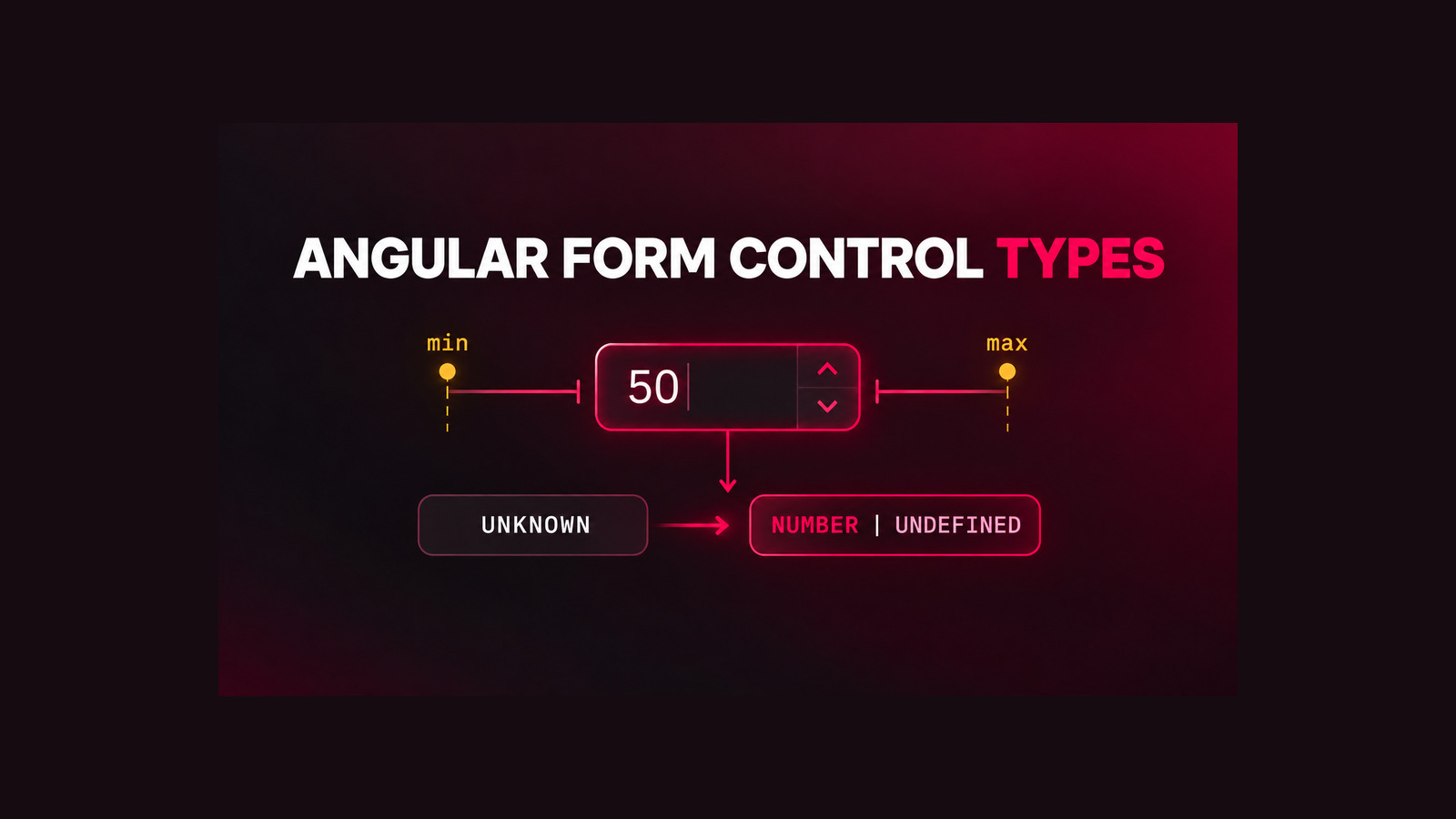
Angular FormUiControl in version 22.2 makes Signal Forms custom controls easier to compose through FormValueControl<T>. A numeric control can expose optional min and max inputs, but a natural-looking numberAttribute transform does not satisfy the interface in Angular 22.2.2. TypeScript reports TS2416 because the transformed signal can return number, while FormUiControl<T> requires the control-facing value to remain number | undefined.
This guide reproduces the mismatch, explains both generic arguments of InputSignalWithTransform, and implements a small optional-number transform that keeps declarative attribute input without weakening the control contract. The result was type-checked with Angular 22.2.2 and TypeScript 6.0.2.
Table of Contents
Reproduce the Angular FormUiControl min/max error
A custom numeric Signal Forms control starts with a writable model signal. Implementing FormValueControl<number | null> also makes the optional UI-state members from FormUiControl<TValue> available. For a numeric value, the interface describes min and max as transformed or untransformed input signals whose read value is number | undefined.
import { input, model, numberAttribute } from '@angular/core';
import type { FormValueControl } from '@angular/forms/signals';

class InputNumberComponent implements FormValueControl<number | null> {
  readonly value = model<number | null>(null);

  readonly min = input(0, { transform: numberAttribute });
  readonly max = input(100, { transform: numberAttribute });
}
The two inputs are useful in isolation: templates can supply strings such as min="0", and numberAttribute converts them to numbers. The problem appears when the class promises to implement FormValueControl<number | null>. With Angular 22.2.2 and strict TypeScript checking, both members produce TS2416.
Property 'min' in type 'InputNumberComponent' is not assignable
to the same property in base type 'FormValueControl<number | null>'.

Type 'InputSignalWithTransform<number, unknown>' is not assignable to type
'InputSignal<number | undefined> |
 InputSignalWithTransform<number | undefined, unknown> | undefined'.
This is a compile-time contract mismatch, not a template parsing failure. Making the property optional does not help if its signal still reads as a guaranteed number.
Understand the transformed input contract
A transformed signal input has two relevant types: the value the component reads and the value a template may write. In simplified form, InputSignalWithTransform<ReadT, WriteT> means “accept WriteT, transform it, and expose ReadT.” Angular’s numberAttribute accepts unknown and always returns number, so inference produces InputSignalWithTransform<number, unknown>.
FormUiControl<number | null> deliberately makes the constraints optional. A missing minimum is not the same as a minimum of zero, and a missing maximum is not the same as a maximum of 100. Its contract therefore expects InputSignalWithTransform<number | undefined, unknown>. The mismatch protects real behavior: choosing a numeric default merely to satisfy inference silently activates a constraint that the control consumer did not request.
| Expression | Component reads | Template can write | Compatible? |
|---|---|---|---|
input(0, { transform: numberAttribute }) | number | unknown | No |
input<number | undefined>() | number | undefined | number | undefined | Yes, but no string coercion |
| Optional transform shown below | number | undefined | unknown | Yes |
Preserve optional min/max semantics
Wrap numberAttribute with a transform whose return type includes undefined. Treat an absent value, null, and an empty attribute as “no constraint”; delegate every other value to Angular’s standard coercion.
import { numberAttribute } from '@angular/core';

export function optionalNumberAttribute(
  value: unknown,
): number | undefined {
  return value === undefined || value === null || value === ''
    ? undefined
    : numberAttribute(value);
}
Now state the signal’s read and write types explicitly. The first generic argument is the value available inside the component; the second is the input accepted from a binding before transformation.
readonly min = input<number | undefined, unknown>(undefined, {
  transform: optionalNumberAttribute,
});

readonly max = input<number | undefined, unknown>(undefined, {
  transform: optionalNumberAttribute,
});
Do not use NaN to represent absence. NaN is still a number at the type level and can leak into comparison logic. Keeping “not supplied” as undefined matches the Angular interface and makes validation branches explicit.
Build the numeric custom control
The complete control can keep a nullable form value while exposing optional numeric boundaries. The example below focuses on the Signal Forms contract; add the visual label, error rendering, and styling required by your design system.
import {
  ChangeDetectionStrategy,
  Component,
  input,
  model,
  numberAttribute,
  output,
} from '@angular/core';
import type { FormValueControl } from '@angular/forms/signals';

const optionalNumberAttribute = (
  value: unknown,
): number | undefined =>
  value === undefined || value === null || value === ''
    ? undefined
    : numberAttribute(value);

@Component({
  selector: 'app-input-number',
  changeDetection: ChangeDetectionStrategy.OnPush,
  template: `
    <input
      type="number"
      [value]="value() ?? ''"
      [attr.min]="min()"
      [attr.max]="max()"
      (input)="onInput($event)"
      (blur)="touch?.emit()"
    />
  `,
})
export class InputNumberComponent
  implements FormValueControl<number | null> {
  readonly value = model<number | null>(null);
  readonly touch = output<void>();

  readonly min = input<number | undefined, unknown>(undefined, {
    transform: optionalNumberAttribute,
  });

  readonly max = input<number | undefined, unknown>(undefined, {
    transform: optionalNumberAttribute,
  });

  onInput(event: Event): void {
    const element = event.currentTarget as HTMLInputElement;
    this.value.set(element.value === '' ? null : element.valueAsNumber);
  }
}
The value model and boundary inputs solve different absence problems. An empty editable field maps to null in the form model, while a missing boundary maps to undefined. Keeping those meanings separate avoids inventing a minimum or maximum and avoids converting an empty field to zero.
If your component already uses the older ControlValueAccessor pattern, do not mix two ownership models casually. Decide whether Signal Forms owns the value model or whether the control remains an adapter for classic forms. For the older design, see the related Angular autocomplete ControlValueAccessor guide.
Add compile-time verification
The regression is a type incompatibility, so the smallest useful check is a strict TypeScript compilation against pinned Angular packages. A standalone proof needs only Angular Core, Angular Forms, RxJS, tslib, and TypeScript.
{
  "private": true,
  "type": "module",
  "scripts": {
    "check": "tsc -p tsconfig.json --noEmit"
  },
  "dependencies": {
    "@angular/core": "22.2.2",
    "@angular/forms": "22.2.2",
    "rxjs": "7.8.2",
    "tslib": "2.8.1"
  },
  "devDependencies": {
    "typescript": "6.0.2"
  }
}
{
"compilerOptions": {
"target": "ES2022",
"module": "NodeNext",
"moduleResolution": "NodeNext",
"strict": true,
"skipLibCheck": false,
"noEmit": true
},
"include": ["workaround.ts"]
}Run npm ci followed by npm run check. In the verified comparison, the original input(0, { transform: numberAttribute }) and input(100, ...) members each produced TS2416. Replacing them with the explicit optional transform compiled with exit code 0 using the same package set.
Keep skipLibCheck disabled in this focused test. The error is on the class implementation boundary, and a permissive proof configuration can obscure the exact compatibility you need to preserve.
Verify boundary behavior
A successful compile proves the interface shape, not every UI behavior. Add component tests for the states your product supports:
- No attributes:
min()andmax()remainundefined. - String attributes:
min="0"andmax="100"become numeric boundaries. - Property bindings: changing
[min]and[max]updates both the control state and native attributes. - Empty input: the editable value becomes
null, not zero orNaN. - Boundary values: zero and negative limits remain valid numbers and are never mistaken for absence.
- Invalid text: define product behavior explicitly. Angular’s
numberAttributemay return its numeric fallback behavior; do not assume invalid input means “missing.” - Accessibility: preserve labels, described-by relationships, error state, and keyboard behavior independently of type compatibility.
Also test the form schema that supplies MIN and MAX metadata. A custom control can compile correctly while rendering stale native attributes if its template fails to read the current signals.
Apply production safeguards
- Pin the proof versions. Record Angular and TypeScript versions so a future compiler change is distinguishable from an application regression.
- Keep the transform pure. Attribute coercion should not mutate the form model, emit analytics, or depend on component state.
- Preserve absence. Avoid numeric defaults unless the product truly requires an active boundary.
- Check both directions. Type-check the Signal Forms interface and test the rendered native
min/maxattributes. - Do not weaken the interface. Casting the member to
anyremoves the signal that catches a semantic mismatch. - Track the upstream issue. Angular issue 71377 describes the 22.2.2 mismatch. Re-run the failing and passing fixtures before removing the local transform after a framework update.
The practical Angular FormUiControl rule is simple: a transformed input must expose the exact value type promised by the interface. For optional numeric boundaries, accept broad template input, transform only supplied values, and keep undefined in the component-facing type.
Know the evidence limits
The local proof covered Angular Core and Forms 22.2.2, TypeScript 6.0.2, strict NodeNext type-checking, and the min/max members on FormValueControl<number | null>. It reproduced the compiler failure and verified that the optional transform compiles. It did not run a browser renderer, validate every Signal Forms metadata path, prove behavior for other value types, or confirm a future Angular framework fix. Treat the workaround as a narrowly verified application pattern and re-evaluate it when the upstream contract changes.
References
- Angular issue 71377: Signal Forms custom control min/max transform incompatibility
- Angular API: FormUiControl
- Angular API: FormValueControl
- Angular API: InputSignalWithTransform
- Angular API: numberAttribute
- Angular guide: Signal Forms custom controls
Found this useful? Support more practical developer content.