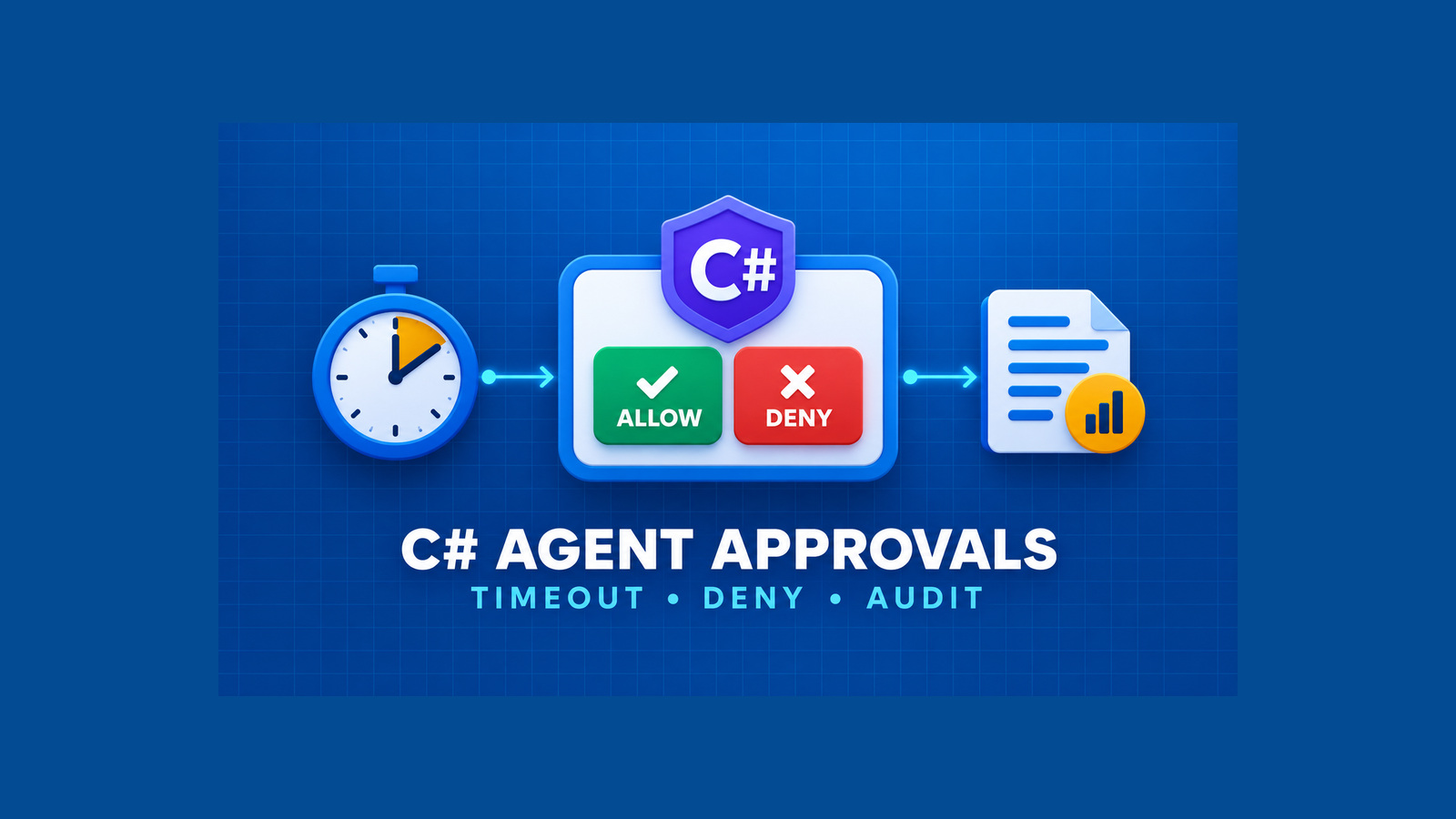
C# agent tool approvals are not a safety boundary if an unanswered request can wait forever or if a later tool call silently resets an earlier denial. A production agent needs a small policy around Microsoft Agent Framework: consequential tools require approval, harmless reads may be auto-approved, every wait is bounded, and silence fails closed.
This guide builds that policy in C#. It separates the framework’s approval request from the host application’s decision logic, makes denial sticky for one user prompt, records an audit event for every outcome, and tests timeout and retry behavior without calling a model or a real external system.
Table of Contents
Define C# agent tool approvals
Microsoft Agent Framework can wrap an AIFunction with ApprovalRequiredAIFunction. The wrapper makes the agent surface an approval request before the function runs; your host still owns the decision and returns an approval response to the same agent session.
AIFunction deleteReport = new ApprovalRequiredAIFunction(
    AIFunctionFactory.Create(
        DeleteReportAsync,
        name: "delete_report",
        description: "Deletes one generated report by its stable identifier."));
Wrap the side-effecting function, not an arbitrary outer helper. The request shown to the operator should contain the exact tool name and normalized arguments that will execute. Do not use an approval dialog to compensate for an overpowered tool: validate tenant, resource, path, and amount inside the tool as well.
Auto-approval belongs on a small allow-list. The official harness example allows read-only file tools to continue without interruption while writes and a simulated trade cross the approval boundary. That keeps the signal meaningful. A label such as read is not enough by itself; classify the actual capability and revisit the rule whenever the tool implementation changes.
Model a bounded decision
Keep the approval policy independent from console, web, or queue input. A short decision type makes every caller handle the reason as well as the Boolean result.
public enum ApprovalOutcome
{
    Approved,
    Denied,
    TimedOut,
    Cancelled,
    InputUnavailable
}

public sealed record ApprovalDecision(
    ApprovalOutcome Outcome,
    int Attempts,
    string Reason)
{
    public bool Approved => Outcome is ApprovalOutcome.Approved;
}
The timeout should apply to each attempt, while the retry count caps the whole decision. Missing input and invalid input may retry; an explicit denial should return immediately. Cancellation from the application is also a denial path, not an ambiguous exception that leaves the tool waiting.
public sealed class TimedApprovalPolicy(
    int maxAttempts,
    TimeSpan attemptTimeout,
    Func<TimeSpan, CancellationToken, Task<string?>> readDecisionAsync)
{
    public async Task<ApprovalDecision> DecideAsync(
        string toolName,
        CancellationToken cancellationToken)
    {
        ArgumentOutOfRangeException.ThrowIfNegativeOrZero(maxAttempts);
        if (attemptTimeout <= TimeSpan.Zero)
            throw new ArgumentOutOfRangeException(nameof(attemptTimeout));

        for (var attempt = 1; attempt <= maxAttempts; attempt++)
        {
            string? input;
            try
            {
                input = await readDecisionAsync(attemptTimeout, cancellationToken);
            }
            catch (OperationCanceledException)
                when (cancellationToken.IsCancellationRequested)
            {
                return new(ApprovalOutcome.Cancelled, attempt,
                    $"{toolName} denied because the request was cancelled.");
            }
            catch (IOException ex)
            {
                return new(ApprovalOutcome.InputUnavailable, attempt,
                    $"{toolName} denied because approval input failed: {ex.Message}");
            }

            var normalized = input?.Trim();
            if (string.Equals(normalized, "yes", StringComparison.OrdinalIgnoreCase) ||
                string.Equals(normalized, "y", StringComparison.OrdinalIgnoreCase))
            {
                return new(ApprovalOutcome.Approved, attempt,
                    $"{toolName} approved on attempt {attempt}.");
            }

            if (string.Equals(normalized, "no", StringComparison.OrdinalIgnoreCase) ||
                string.Equals(normalized, "n", StringComparison.OrdinalIgnoreCase))
            {
                return new(ApprovalOutcome.Denied, attempt,
                    $"{toolName} denied on attempt {attempt}.");
            }
        }

        return new(ApprovalOutcome.TimedOut, maxAttempts,
            $"{toolName} denied after {maxAttempts} unanswered or invalid attempts.");
    }
}
The policy deliberately does not execute the tool. It produces a decision that the agent runner converts into the framework’s approval response. This separation prevents a transport retry from accidentally re-running the side effect.
Make denial sticky for the prompt
An agent may return more than one approval request, or it may ask again after receiving a denial. Treat approval as scoped to one exact call, but treat denial as sticky for the active user prompt. Otherwise the model can turn one clear “no” into repeated pressure.
const int maxApprovalRoundsPerPrompt = 5;
var approvalRound = 0;
var deniedForPrompt = false;

while (true)
{
    var requests = response.Messages
        .SelectMany(message => message.Contents)
        .OfType<ToolApprovalRequestContent>()
        .ToList();

    if (requests.Count == 0)
        break;

    if (++approvalRound > maxApprovalRoundsPerPrompt)
        break; // fail closed and record the limit outcome

    var replies = new List<AIContent>();
    foreach (var request in requests)
    {
        var call = request.ToolCall as FunctionCallContent;
        var toolName = call?.Name ?? request.ToolCall.CallId;

        var decision = deniedForPrompt
            ? new ApprovalDecision(
                ApprovalOutcome.Denied,
                0,
                "Denied because another tool was denied for this prompt.")
            : await policy.DecideAsync(toolName, cancellationToken);

        deniedForPrompt |= !decision.Approved;
        replies.Add(request.CreateResponse(decision.Approved, decision.Reason));
    }

    response = await agent.RunAsync(
        [new ChatMessage(ChatRole.User, replies)],
        session,
        cancellationToken: cancellationToken);
}
The approval-round limit is a second bound. It protects against a model that keeps emitting new requests even though each individual decision has its own timeout. When that limit is reached, return a visible failure to the caller and do not invent a successful agent result.
Persist useful approval evidence
The agent transcript is not a durable audit record. Store an application-owned event before sending the decision back to the agent. Use stable identifiers and a hash of canonical arguments instead of writing secrets or full document contents into logs.
public sealed record ToolApprovalAudit(
    Guid ApprovalId,
    string SessionId,
    string PromptId,
    string ToolName,
    string ArgumentsSha256,
    ApprovalOutcome Outcome,
    int Attempts,
    DateTimeOffset RequestedAt,
    DateTimeOffset DecidedAt,
    string PolicyVersion,
    string? OperatorId);

await auditStore.AppendAsync(new ToolApprovalAudit(
    ApprovalId: Guid.NewGuid(),
    SessionId: sessionId,
    PromptId: promptId,
    ToolName: toolName,
    ArgumentsSha256: HashCanonicalArguments(arguments),
    Outcome: decision.Outcome,
    Attempts: decision.Attempts,
    RequestedAt: requestedAt,
    DecidedAt: clock.GetUtcNow(),
    PolicyVersion: "tool-approval-v1",
    OperatorId: currentOperatorId),
    cancellationToken);
Make the append idempotent by ApprovalId or by a compound key derived from session, prompt, and tool-call ID. If persistence fails for a consequential action, deny it. An “approved but not audited” path creates exactly the gap the record was meant to close.
Keep approval evidence separate from tool execution evidence. The first proves who or what permitted the attempt; the second proves whether the side effect actually completed. A successful approval must never be reported as a successful deletion, deployment, payment, or message.
Test the failure paths
Inject the input function so the policy can be tested without a terminal, a model, or Azure credentials. Cover approval, explicit denial, invalid input followed by approval, timeout exhaustion, cancellation, and an unavailable input channel.
[Fact]
public async Task Silence_denies_after_the_bounded_attempts()
{
    var reads = 0;
    var policy = new TimedApprovalPolicy(
        maxAttempts: 3,
        attemptTimeout: TimeSpan.FromMilliseconds(10),
        readDecisionAsync: (_, _) =>
        {
            reads++;
            return Task.FromResult<string?>(null);
        });

    var result = await policy.DecideAsync(
        "delete_report",
        CancellationToken.None);

    Assert.Equal(ApprovalOutcome.TimedOut, result.Outcome);
    Assert.False(result.Approved);
    Assert.Equal(3, result.Attempts);
    Assert.Equal(3, reads);
}
Add an integration test around the agent runner with a fake ToolApprovalRequestContent. Deny the first request, then supply a second request in the same prompt and verify that the input function is not called again. Also assert that the side-effecting delegate has zero invocations for every denied path.
- Use a fake clock or very small injected deadlines; do not make tests sleep for production timeout values.
- Verify the audit event and the framework response carry the same outcome.
- Verify cancellation is distinguishable from operator denial while both remain non-approved.
- Verify an audit-store failure denies the tool and surfaces an operational error.
- Verify an approval cannot be replayed for different canonical arguments.
Roll out the policy safely
Start by inventorying every registered tool and assigning one of three policies: auto-approved read, explicit approval, or unavailable in that environment. Default unknown tools to explicit approval or disabled. Keep shell, code execution, broad file access, and outbound network access behind isolation and capability controls; approval alone is not a sandbox.
Introduce the policy in report-only mode for existing agents, but do not execute a tool that would have been denied. Compare approval volume, timeout rate, repeated-round rate, and the tools that operators deny most often. High approval volume usually means the tool boundary or the read-only classification needs redesign, not that users need more prompts.
When enforcement begins, deploy it with a versioned policy and a rollback that preserves the fail-closed default. Rollback may restore a previous classification or timeout, but it must not remove approval from consequential tools. Alert on audit-store failures, approval-round exhaustion, and a sudden change in timeout rate.
The final invariant is simple: the framework identifies the call that needs approval, the host makes a bounded decision, denial remains visible for the active prompt, and the application records approval separately from execution. Silence never becomes consent.
References
- .NET Blog: Build Your Own AI Agent Harness in C#, the MafClaw Live Series
- MafClaw sample 22: approval retries and timeouts
- Microsoft Agent Framework .NET approval sample
Found this useful? Support more practical developer content.