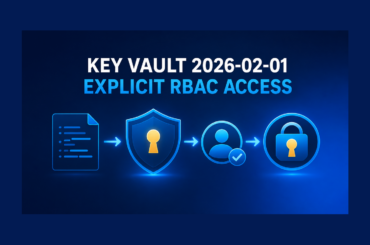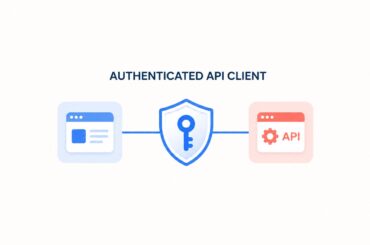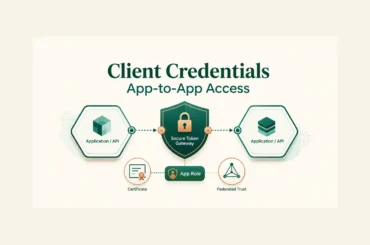
A .NET desktop or console application cannot keep a client secret. Anyone who receives the executable can inspect its files and recover that value. The safe pattern is the Microsoft Entra authorization code flow with PKCE, implemented through MSAL.NET, followed by a bearer-token call to a protected ASP.NET Core API.
This guide updates the original manual flow around one production task: configure a public .NET client, acquire a delegated access token without embedding credentials, validate the token and required scope in the API, and verify the failure paths before release.
Table of Contents
Choose the correct client boundary
OAuth classifies a client by whether it can protect credentials. A server-side web application is a confidential client because its secret or certificate remains on a controlled server. A desktop, mobile, command-line, or distributed executable is a public client because a user or attacker can inspect its local files and memory.
That distinction changes the implementation. A public client must not contain a client secret, even if the value is stored in appsettings.json, obfuscated, or injected during a build. It uses PKCE so that an intercepted authorization code cannot be redeemed without the transaction-specific code verifier. Current OAuth security guidance requires PKCE for public clients, and MSAL.NET performs that protocol work for interactive public-client authentication.
- Public .NET client: authorization code with PKCE; no client secret.
- Server-side web app: confidential-client flow; keep credentials on the server and prefer a certificate or federated credential where supported.
- Background service: client credentials, not an interactive user flow.
- API: validates the bearer token and authorizes the requested operation.
The rest of this guide implements the first and fourth roles. If a web API must call another API for the signed-in user, use the Microsoft Entra on-behalf-of flow instead of forwarding an incoming token to an unrelated resource.
Configure the two Microsoft Entra registrations
Use separate registrations for the protected API and the public client. This keeps the API audience, delegated permission, redirect URI, and client type explicit.
1. Register and expose the API
- Create an app registration for the API and record its application (client) ID and tenant ID.
- Open Expose an API and accept or set an Application ID URI such as
api://<api-client-id>. - Add a delegated scope named
access_as_user. - Decide who can consent and write an accurate admin and user description.
The full scope requested by the client becomes api://<api-client-id>/access_as_user. The access token must be issued for this API; a token issued for Microsoft Graph is not a substitute.
2. Register the public client
- Create a second app registration for the desktop or console client.
- Add the Mobile and desktop applications platform and configure the redirect URI used by MSAL.NET.
- Under API permissions, add the API’s delegated
access_as_userpermission. - Grant admin consent only when your tenant policy requires and authorizes it.
Do not create or copy a client secret into this registration for the public application. The client ID identifies the registration; it is not a password.
Implement the Entra authorization code flow with PKCE
Install Microsoft.Identity.Client and let MSAL.NET own the authorization request, PKCE values, browser interaction, code redemption, and token-cache lookup. Hand-building those requests creates extra opportunities to reuse a verifier, mishandle state, log a token, or accept a redirect that does not belong to the current transaction.
dotnet add package Microsoft.Identity.ClientKeep only non-secret identifiers in configuration:
{
  "Entra": {
    "TenantId": "YOUR_TENANT_ID",
    "ClientId": "YOUR_PUBLIC_CLIENT_ID",
    "ApiScope": "api://YOUR_API_CLIENT_ID/access_as_user"
  },
  "ApiBaseUrl": "https://localhost:7243"
}
Create the public client once, try the cache first, and fall back to interactive authentication only when MSAL reports that user interaction is required.
using Microsoft.Identity.Client;

var scopes = new[] { configuration["Entra:ApiScope"]! };

IPublicClientApplication identityClient =
    PublicClientApplicationBuilder
        .Create(configuration["Entra:ClientId"]!)
        .WithAuthority(
            AzureCloudInstance.AzurePublic,
            configuration["Entra:TenantId"]!)
        .WithDefaultRedirectUri()
        .Build();

AuthenticationResult tokenResult;
var accounts = await identityClient.GetAccountsAsync();

try
{
    tokenResult = await identityClient
        .AcquireTokenSilent(scopes, accounts.FirstOrDefault())
        .ExecuteAsync();
}
catch (MsalUiRequiredException)
{
    tokenResult = await identityClient
        .AcquireTokenInteractive(scopes)
        .WithPrompt(Prompt.SelectAccount)
        .ExecuteAsync();
}
WithDefaultRedirectUri() must correspond to a redirect URI permitted for the registered platform. For Windows applications, Microsoft recommends considering the Web Account Manager broker because it can improve single sign-on and token protection. Cross-platform clients can use the system browser where supported.
The in-memory cache disappears when the process exits. A real desktop application that needs persistent single sign-on should configure secure token-cache persistence backed by the operating system. Do not serialize access or refresh tokens to a plain JSON file.
Protect the ASP.NET Core API
Install Microsoft.Identity.Web in the API. The API registration ID becomes the expected audience, and the tenant configuration limits the issuer for a single-tenant application.
dotnet add package Microsoft.Identity.Web{
"AzureAd": {
"Instance": "https://login.microsoftonline.com/",
"TenantId": "YOUR_TENANT_ID",
"ClientId": "YOUR_API_CLIENT_ID"
}
}using Microsoft.AspNetCore.Authentication.JwtBearer;
using Microsoft.Identity.Web;
var builder = WebApplication.CreateBuilder(args);
builder.Services
.AddAuthentication(JwtBearerDefaults.AuthenticationScheme)
.AddMicrosoftIdentityWebApi(
builder.Configuration.GetSection("AzureAd"));
builder.Services.AddAuthorization();
builder.Services.AddControllers();
var app = builder.Build();
app.UseHttpsRedirection();
app.UseAuthentication();
app.UseAuthorization();
app.MapControllers();
app.Run();Authentication proves that the token is acceptable for this API. Authorization still decides whether its delegated permissions are sufficient. Require the scope at the endpoint boundary rather than assuming every authenticated token can perform every user operation.
using Microsoft.AspNetCore.Authorization;
using Microsoft.AspNetCore.Mvc;
using Microsoft.Identity.Web.Resource;

[ApiController]
[Route("api/profile")]
[Authorize]
public sealed class ProfileController : ControllerBase
{
    [HttpGet]
    [RequiredScope("access_as_user")]
    public IActionResult Get()
    {
        return Ok(new
        {
            message = "The delegated scope was accepted."
        });
    }
}
The API—not the client—must validate the token signature, issuer, audience, lifetime, and authorization data. A client may read its own authentication result for UI purposes, but it must not treat locally decoded token claims as proof that an API request is authorized.
Call the API with the access token
Attach the access token only to HTTPS requests sent to the intended API. Do not put it in a query string, console output, exception message, analytics event, or application log.
using System.Net.Http.Headers;

using var httpClient = new HttpClient
{
    BaseAddress = new Uri(configuration["ApiBaseUrl"]!)
};

using var request = new HttpRequestMessage(
    HttpMethod.Get,
    "api/profile");

request.Headers.Authorization =
    new AuthenticationHeaderValue(
        "Bearer",
        tokenResult.AccessToken);

using var response = await httpClient.SendAsync(request);

if (response.StatusCode is System.Net.HttpStatusCode.Unauthorized)
{
    throw new InvalidOperationException(
        "The API rejected the token. Check issuer and audience configuration.");
}

if (response.StatusCode is System.Net.HttpStatusCode.Forbidden)
{
    throw new InvalidOperationException(
        "The token is valid but lacks the required delegated permission.");
}

response.EnsureSuccessStatusCode();
Console.WriteLine(await response.Content.ReadAsStringAsync());
Use a managed HttpClient through IHttpClientFactory in long-running applications rather than creating a new client per request. The focused example disposes a single client because it represents a short-lived console process. For an ASP.NET Core caller, the Entra-aware HttpClient pattern provides a more appropriate production boundary.
Verify the complete security boundary
A successful browser sign-in proves only one path. Verify the contract at the API boundary and record the expected status for each case.
| Test | Expected result | What it proves |
|---|---|---|
| No Authorization header | 401 Unauthorized | The endpoint requires authentication |
| Malformed, expired, wrong-issuer, or wrong-audience token | 401 Unauthorized | Token validation is active |
Valid token without access_as_user | 403 Forbidden | Scope authorization is enforced |
| Valid API token with the required scope | 200 OK | The intended delegated path works |
| Second request with a valid cached account | No unnecessary prompt | Silent acquisition is attempted first |
Start with the unauthenticated request because it needs no token:
curl -i https://localhost:7243/api/profileThe expected response is 401. Then run the client and confirm the API returns 200 only after consent for the API’s delegated scope. Test the missing-scope case with a separate registration or permission set; do not edit token text or paste production tokens into online decoders.
When troubleshooting, log correlation IDs, timestamps, endpoint names, and status codes. Keep access tokens, authorization codes, PKCE verifiers, client credentials, and personally identifying claims out of logs.
Handle production risks and edge cases
- Exposed secret: revoke it in Microsoft Entra ID, create a replacement only for a confidential server that genuinely needs one, and remove the value from source history. Deleting it from the current article or latest commit does not revoke it.
- Redirect mismatch: register the exact redirect URI used by the client platform. Do not add broad or unrelated redirect URIs to make an error disappear.
- Wrong token audience: request the custom API scope, not a Microsoft Graph scope, when calling the custom API.
- Consent failure: check tenant consent policy, assignment requirements, and whether admin consent is required. Do not silently broaden permissions.
- Token expiry: ask MSAL for a token before the call and let it use its cache. Do not implement a separate refresh-token HTTP request in the application.
- Multiple accounts: select the intended cached account and provide an explicit account-switch action. Avoid assuming the first cached account is always correct.
- Tenant boundary: use a tenant-specific authority for a single-tenant line-of-business application. A multi-tenant design needs explicit issuer and onboarding rules.
- Downstream APIs: do not reuse a token for a different audience. Acquire the correct token or use an approved server-side delegation flow.
For higher-assurance Windows desktop deployments, evaluate an authentication broker and OS-backed token protection. For server-side confidential clients, prefer credentials that can be rotated and governed without shipping them to users.
How to treat the historical demo
The original September 2024 repository and video document the earlier manual implementation. They remain historical evidence, not a current secure template. The old client mixed a public console application with a client secret and manually redeemed authorization and refresh tokens. That is precisely the boundary this refresh corrects.
This update does not claim the historical project was rebuilt or rerun on a newer framework. The current implementation above uses the supported library boundary and placeholder configuration. If you retain the old repository for learning history, add a prominent security notice and purge or rotate any credential that was ever committed.
Conclusion
A secure Microsoft Entra authorization code flow begins with the client type. A public .NET application uses PKCE and never ships a client secret. MSAL.NET handles the protocol and token cache, while Microsoft.Identity.Web validates the API token and enforces the delegated scope.
The release gate is simple: unauthenticated and invalid tokens produce 401, a valid token without the required scope produces 403, and only the correct audience and delegated permission reach the protected operation. If a credential has already appeared in an article or repository, rotate it first; rewriting the example is not remediation by itself.
References
- Microsoft identity platform and OAuth 2.0 authorization code flow
- Desktop app that calls web APIs: acquire a token interactively
- MSAL.NET: acquiring tokens interactively
- Protected web API: code configuration
- RFC 9700: Best Current Practice for OAuth 2.0 Security
Found this useful? Support more practical developer content.